S.H.E Technologies

Do You Need Help?
If you need any helps, please feel free to contact us.

19-A New Chauburji Park, Lahore, Pakistan.

Top Leading Ladder CRM Software Company in Pakistan | She Technologies

Top Leading LadderCRM software company in Pakistan | She Technologies offers an advanced real estate CRM system that is specifically designed for effective lead management, automation of the entire sales process, and improved customer engagement. Using various functionalities, including real-time monitoring, automated follow-ups, and data management, LadderCRM can help any business operate efficiently and close deals.

How CRM Works

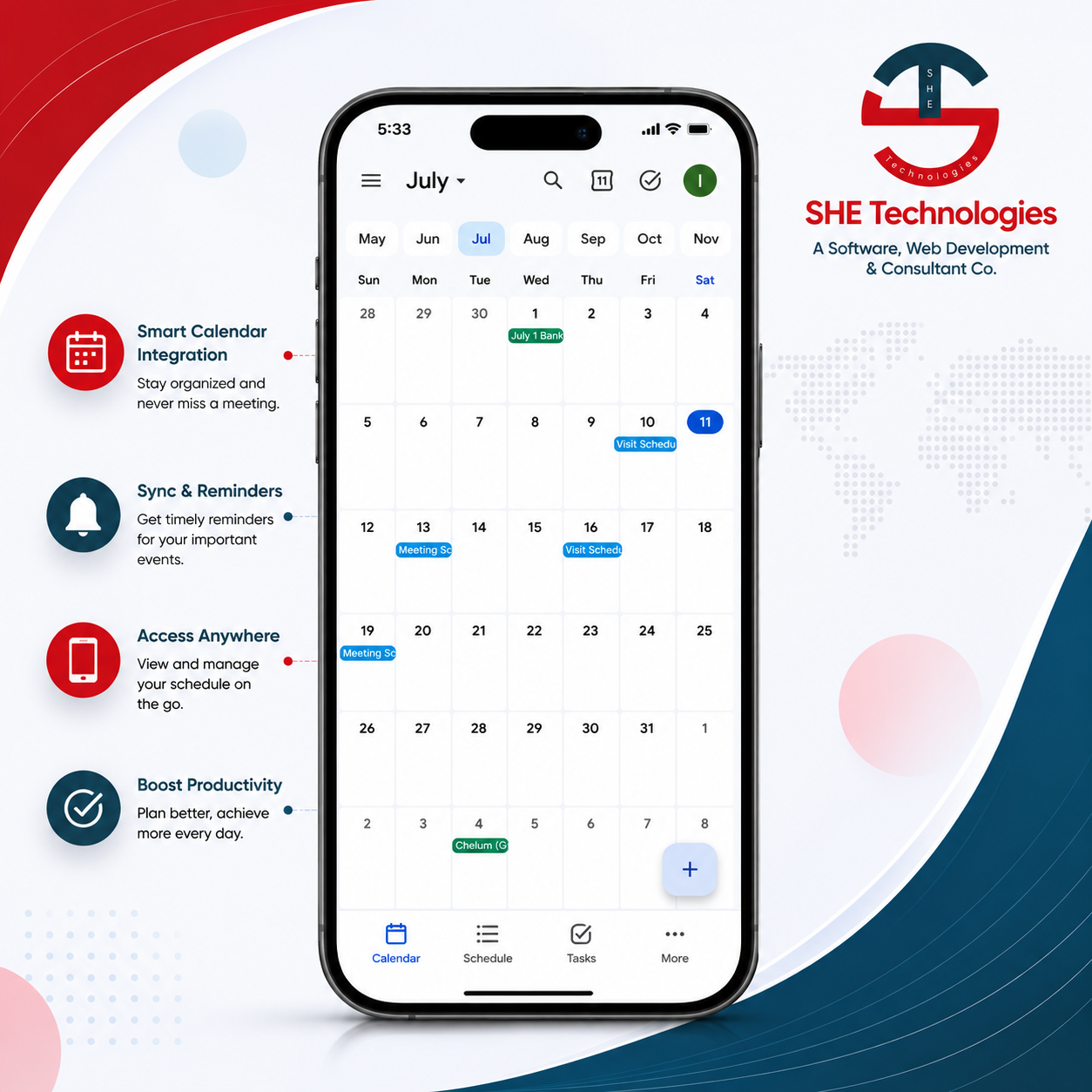
SHE Technologies’ Ladder CRM is a comprehensive customer relationship management solution designed to assist companies in managing customer contacts, capturing leads, and turning prospects into enduring partnerships. Ladder CRM, which was created for real estate, sales teams, service providers, and customer-focused companies, provides the means to monitor each phase of the customer journey, from the initial inquiry to the last conversion and beyond. SHE Ladder CRM is web-based and accessible from multiple devices, including laptops, iPads, Androids, and Apple phones.

LadderCRM Features

CRM Dashboard

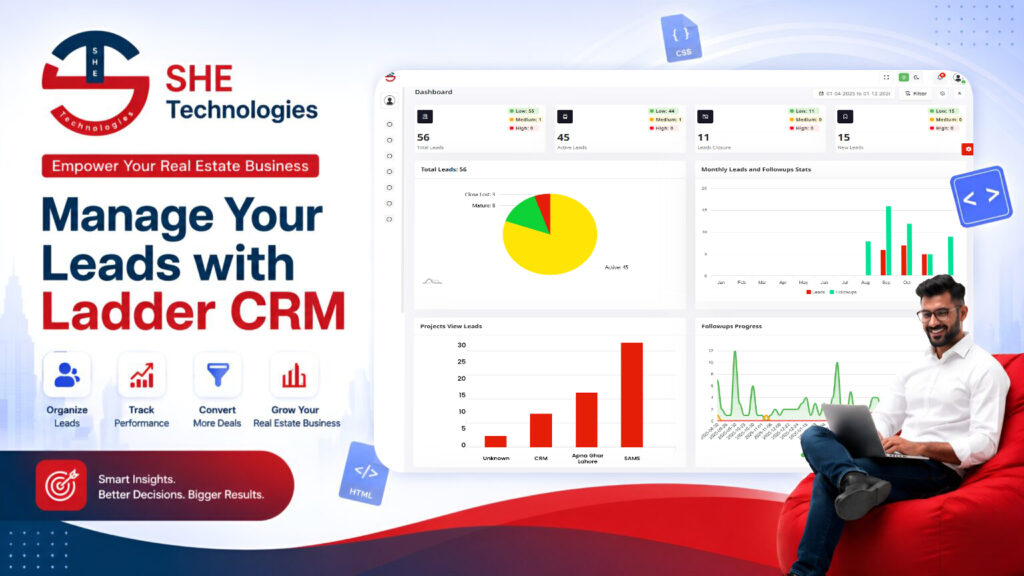
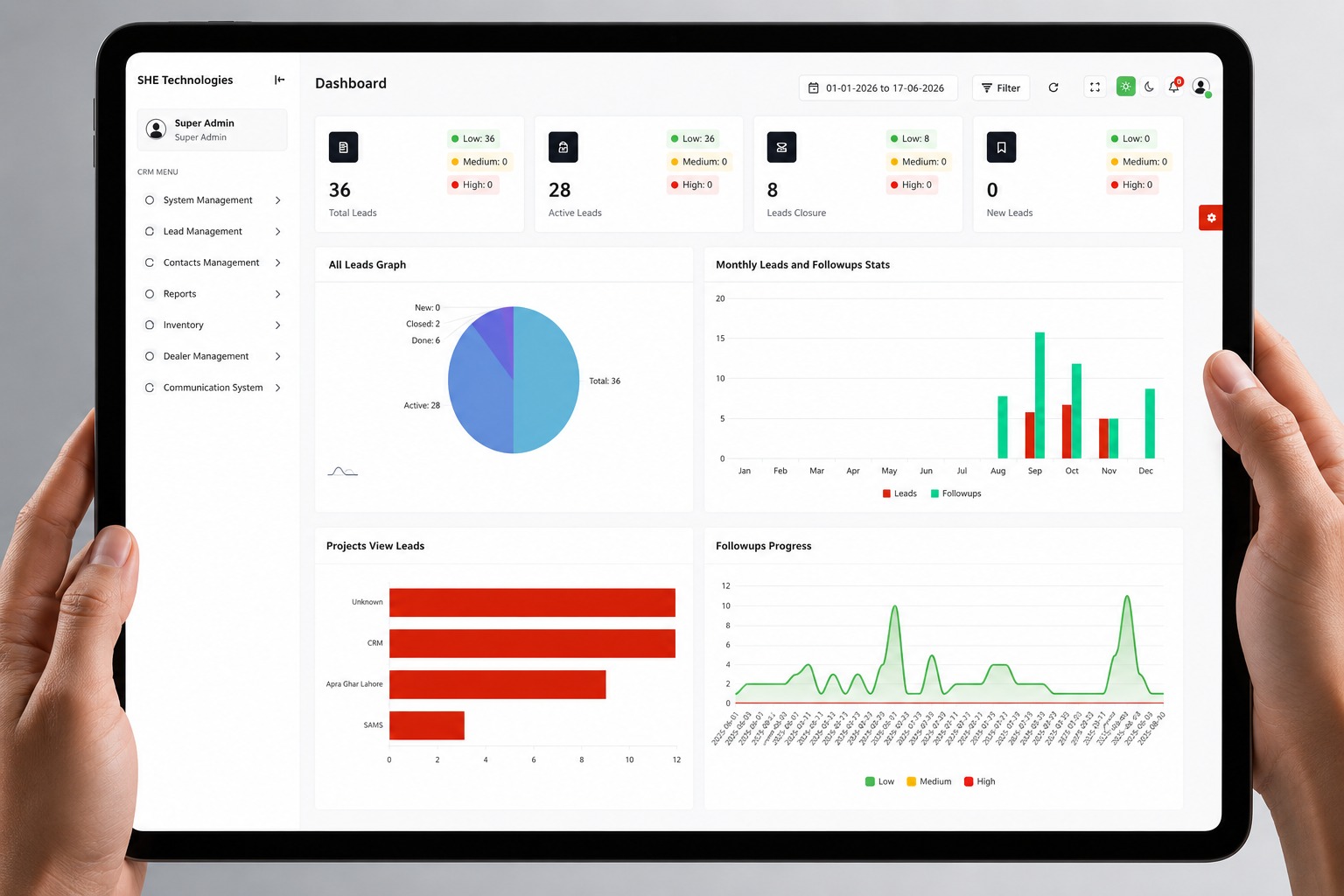
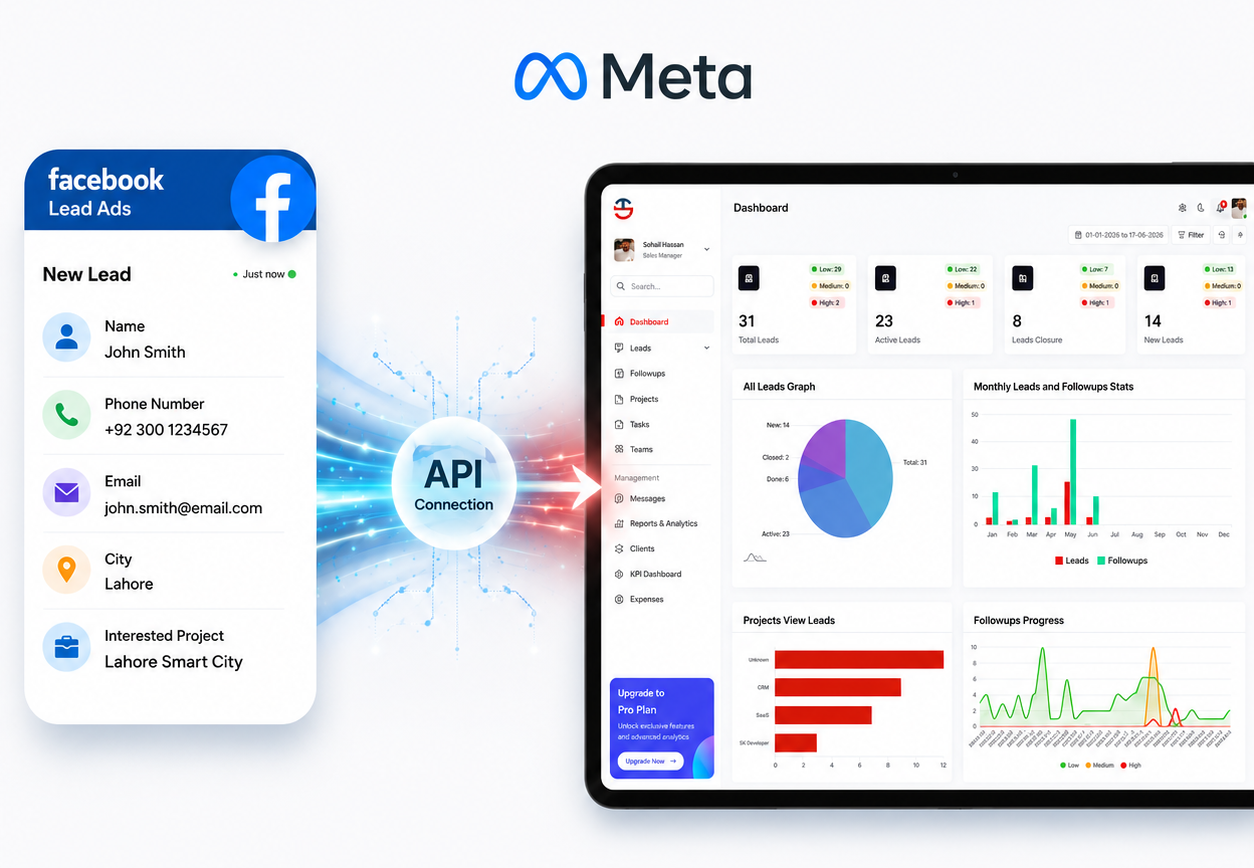
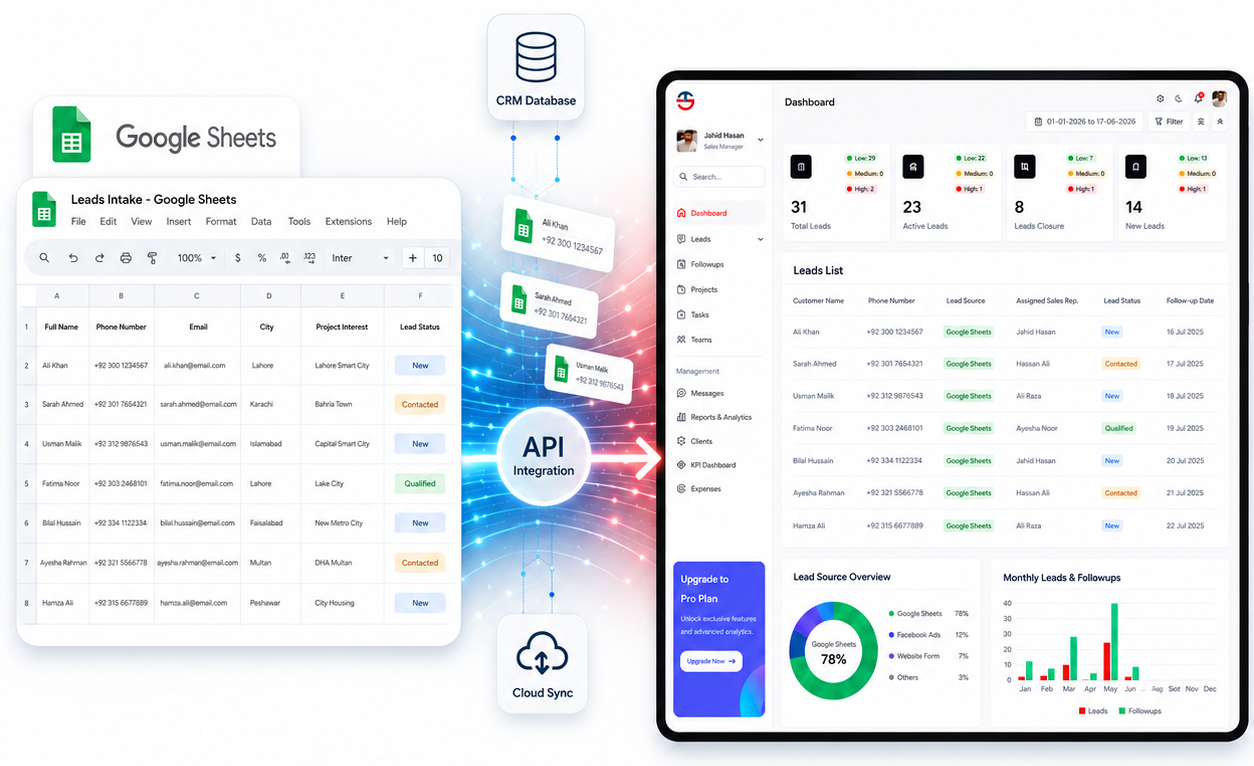
The CRM dashboard is divided into eight key sections, each displaying a specific type of data to help manage leads, followups, and project performance effectively. The first section is the Stats Cards at the top of the dashboard, which automatically display four numbers — Total Leads, Active Leads, Leads Closure, and New Leads — along with a Low, Medium, and High priority breakdown for each. These numbers are not entered manually; they are automatically counted from the leads table based on the status and priority fields assigned to each lead record.

All Leads Graph

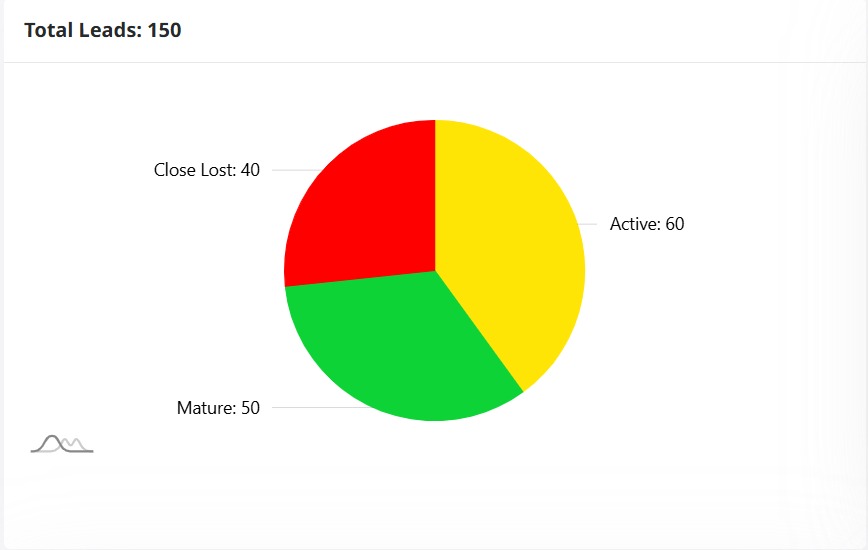
The second section is the All Leads Graph, a pie chart that visually breaks down all leads by their current status — New, Active, Done, and Closed — with the total count shown in the center. This chart is also auto-generated from the leads table and requires no separate data upload. The only requirement is that every lead record must have a status field correctly assigned.

Monthly Leads and Followups

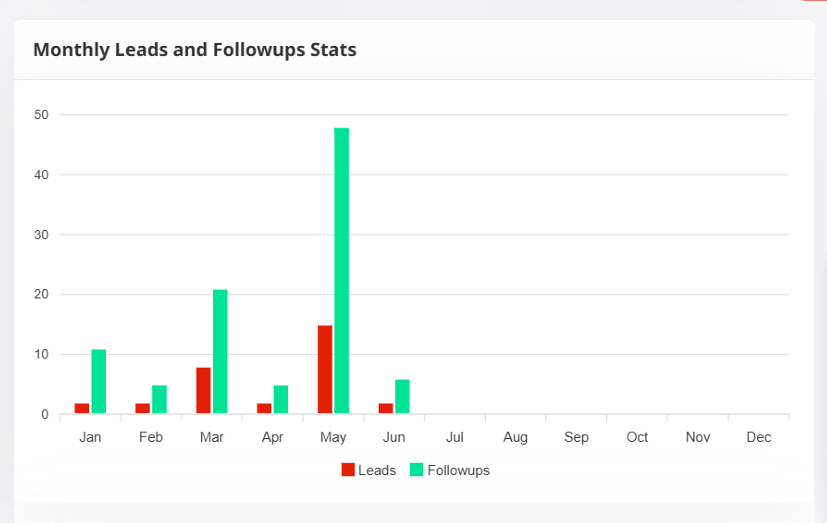
The third section is Monthly Leads and Followups Stats, in which you see a bar chart displaying the number of leads and followups that have been created monthly (January-December). Leads are indicated by the red bars, followups by the green bars. This chart will automatically be calculated based on the grouping of lead records and followup records grouped by created date; thus, every lead and followup will have to be correctly uploaded to the system with a created date if using this chart.

Projects View Leads

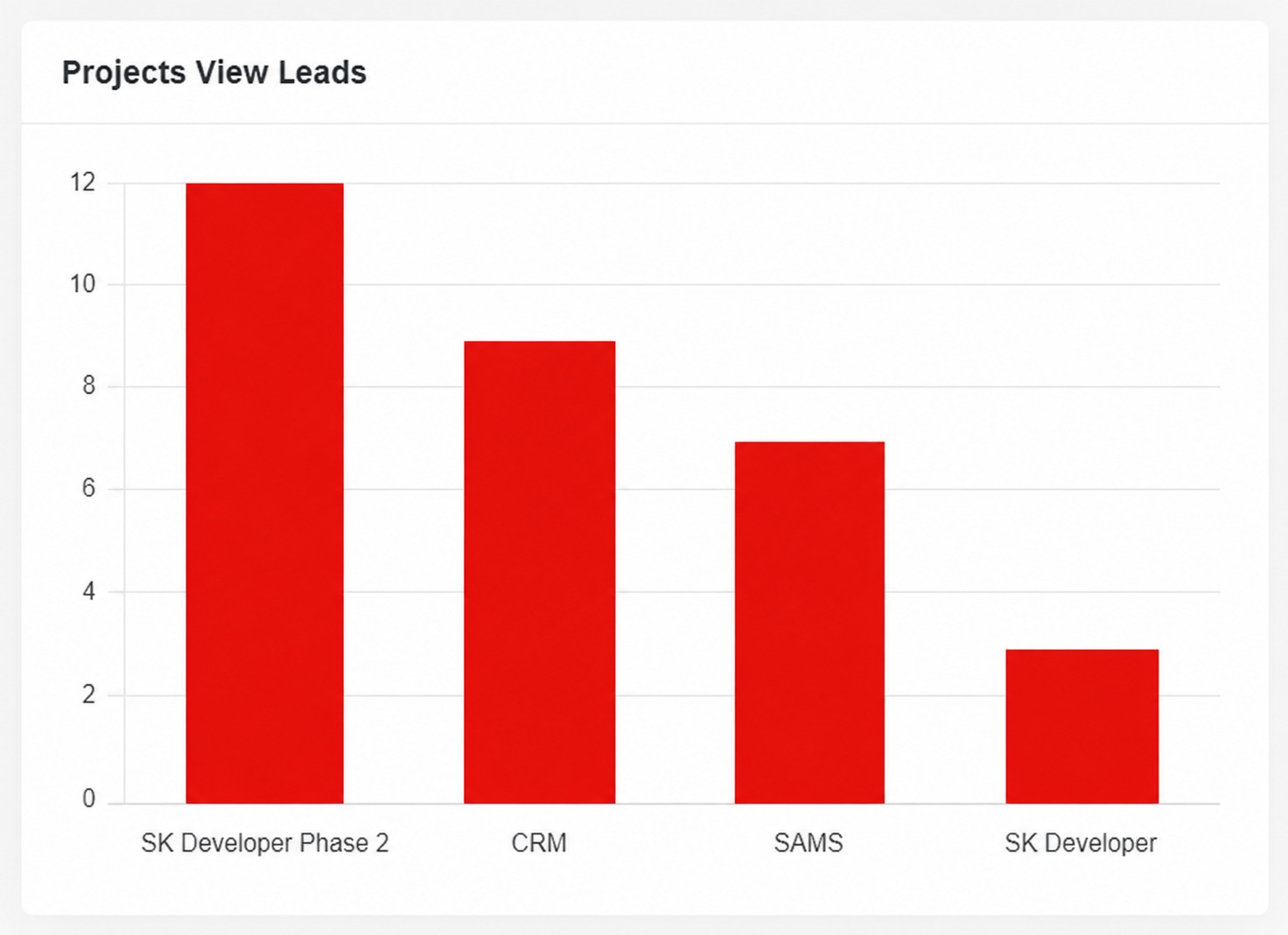
The fourth section is the Projects View Leads, a horizontal bar chart that shows how many leads belong to each project such as CRM, SAMS, SK Developer, or Unknown. This is also auto-generated from the leads table by grouping records on the project name field. Every lead must have a project name assigned; if no project is assigned, it will appear under the Unknown category.

Followups Progress

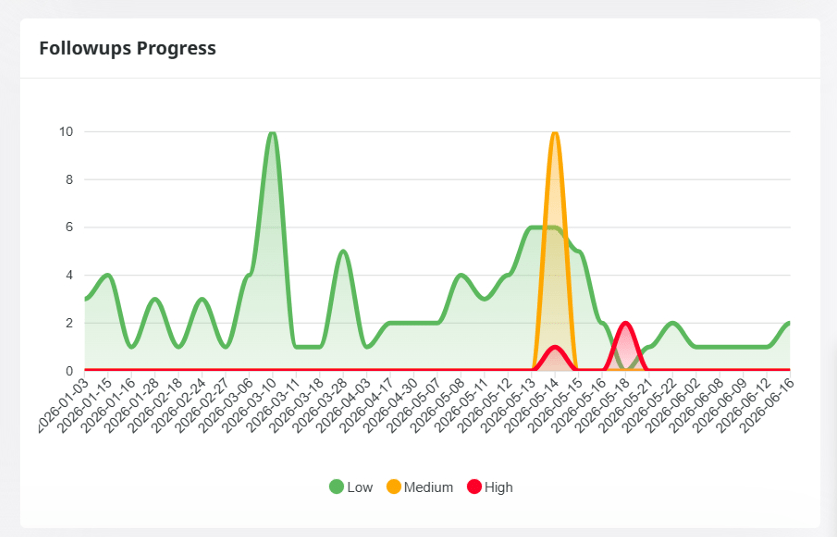
The fifth section is the Followups Progress, a multi-line chart that tracks followup activity over time. It has three colored lines — green for Low priority, yellow for Medium priority, and red for High priority. This chart is generated from the followups table, which is a separate table from leads. Each followup record must include a date, a priority level, and a Lead ID that links it back to the corresponding lead in the leads table.

Calendar

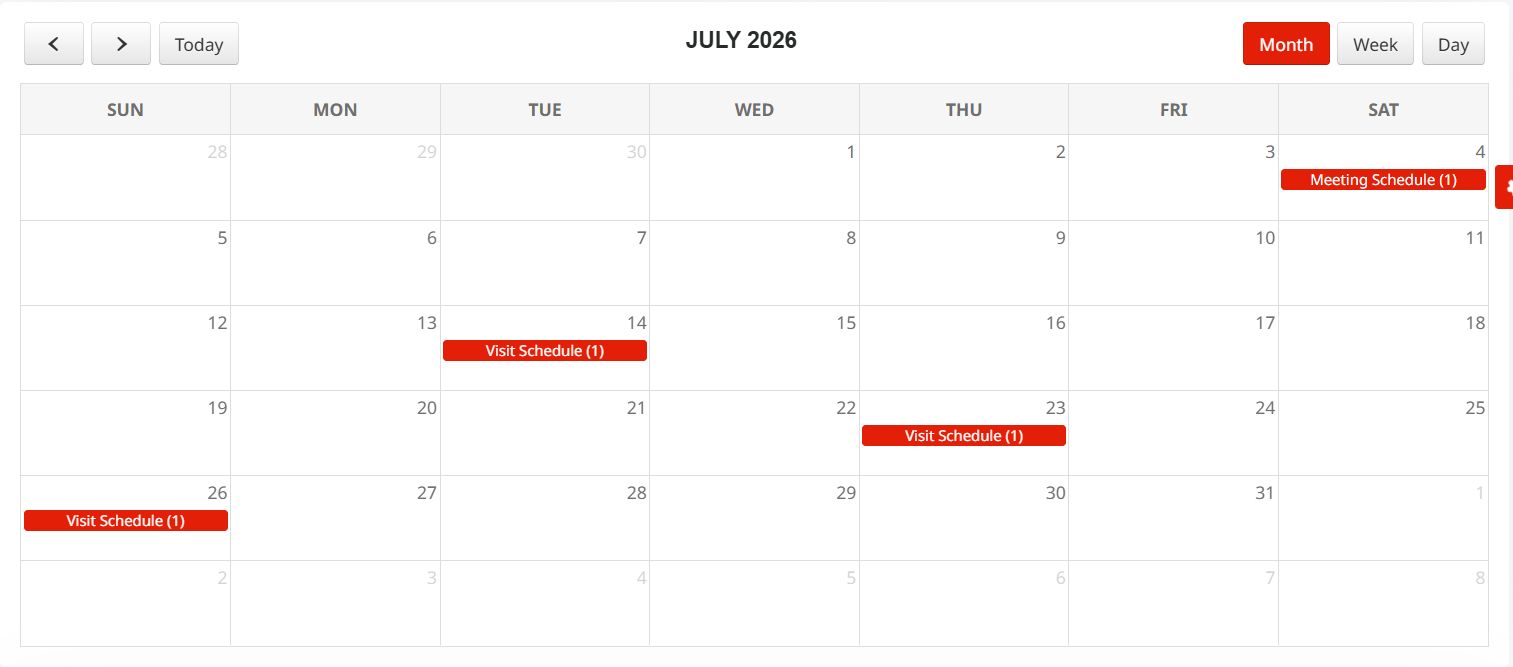
The sixth section is the Calendar, which displays a full monthly view showing scheduled events, meetings, and appointments on their respective dates. Each calendar event is stored in a separate calendar events table and must include an event title, the date of the event, an optional time, and an optional Lead ID to link the event to a specific lead. Users can switch the calendar view between Month, Week, and Day mode.

Lead Score chart

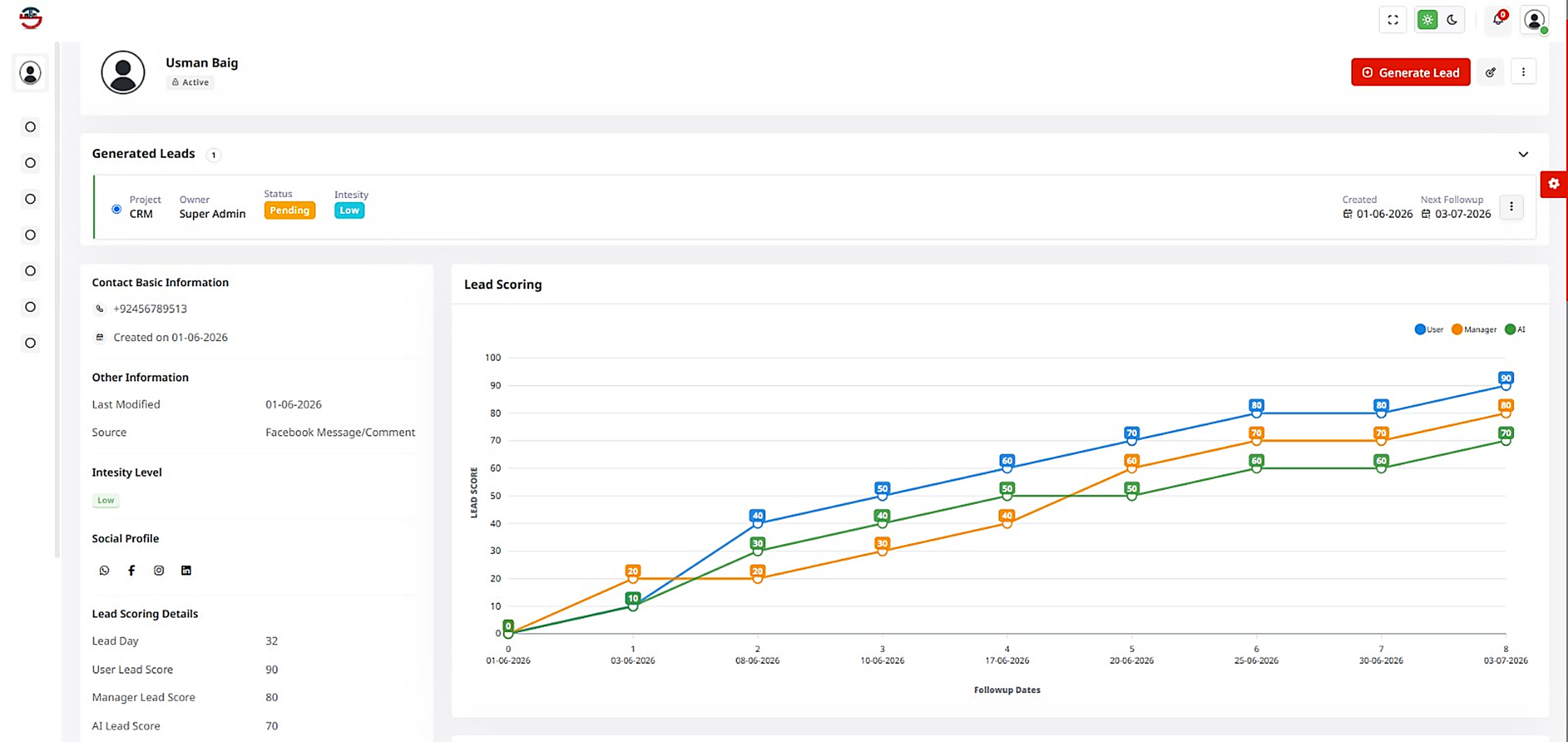
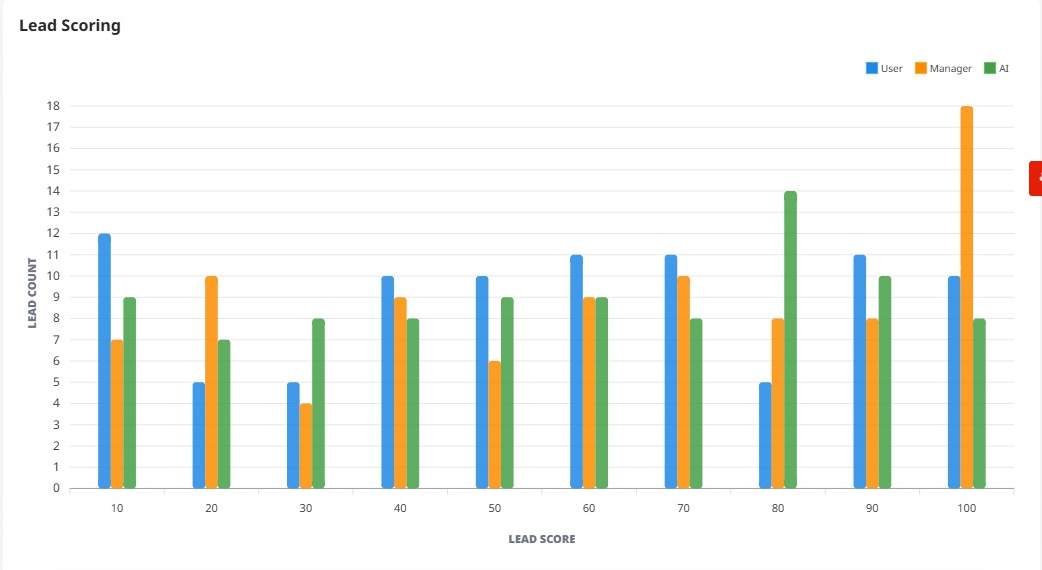
The seventh section is the Lead Score chart, which displays a triangle-shaped graph for each lead showing two scores on a scale of 0 to 100 — the User Score shown as a solid red triangle and the Manager Score shown as a dashed blue triangle. This data is stored in a separate lead scores table. Each record must include the Lead ID it belongs to, the user score, the manager score, and the month for which the score applies, since the chart can be filtered by month using the dropdown at the top right.

Pending Followups Table

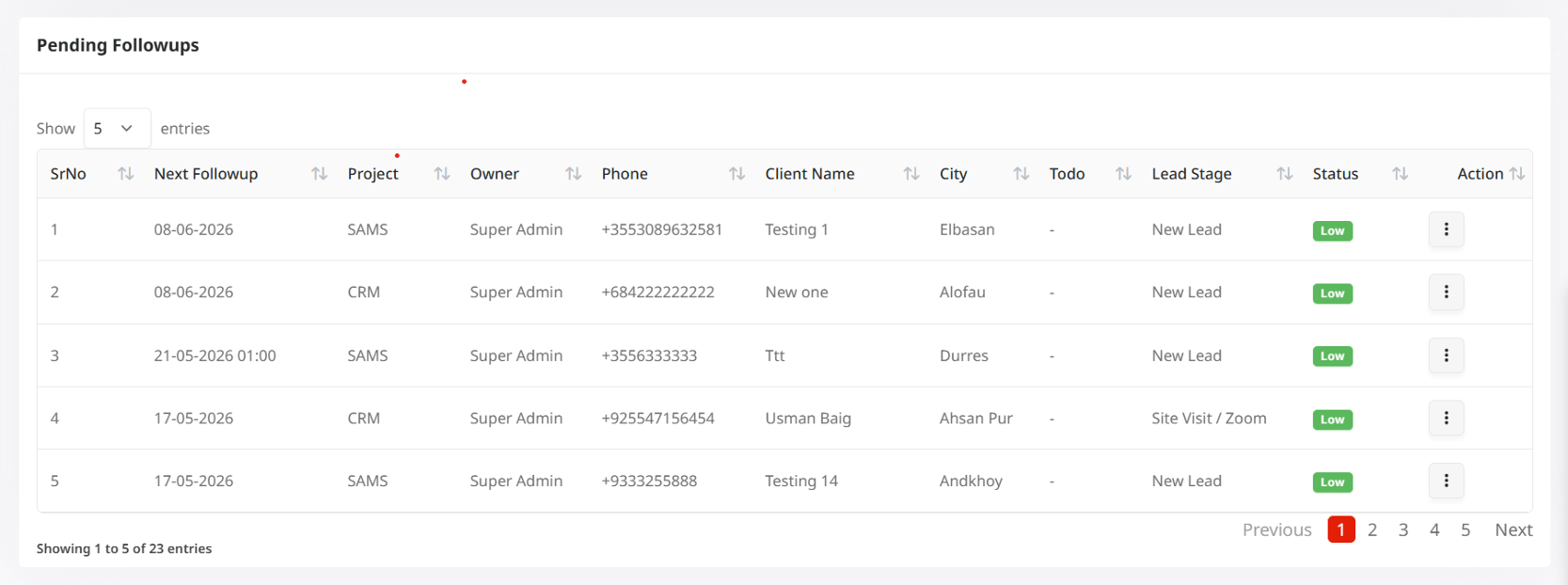
The eighth and final section is the Pending Followups Table at the bottom of the dashboard, which lists all upcoming or incomplete followups in a paginated data table. Each row in this table displays the next followup date and time, the project name, the owner or team member responsible, the client phone number, the client name, the city, the current lead stage such as New Lead or Site Visit, the priority status shown as a color-coded badge, and an optional to-do note. This table supports sorting on every column and can show 5, 10, or 25 entries per page.

Auto Call Recorded

Smart Calling Made Easy

Ladder CRM’s Smart Calling feature helps teams manage calls more efficiently with automatic call recording and built-in follow-up reminders. Every conversation is securely saved, while smart follow-ups ensure no lead or opportunity is overlooked, allowing sales teams to handle their entire calling workflow directly within the CRM.

International Calling with Twilio

Ladder CRM integrates with Twilio to enable seamless international calling directly from the CRM. Teams can make and receive calls worldwide, with all conversations automatically recorded and logged for easy tracking and quality monitoring. Smart auto follow-ups help ensure no lead is missed, making global client communication more efficient, organized, and cost-effective.

Smart International Calling with Telnyx

Ladder CRM integrates with Telnyx for seamless international calling directly from the CRM. Calls are automatically recorded and logged, while smart auto follow-ups help teams stay connected with every lead. With cost-effective global connectivity, businesses can easily communicate with clients worldwide.

Leads Management

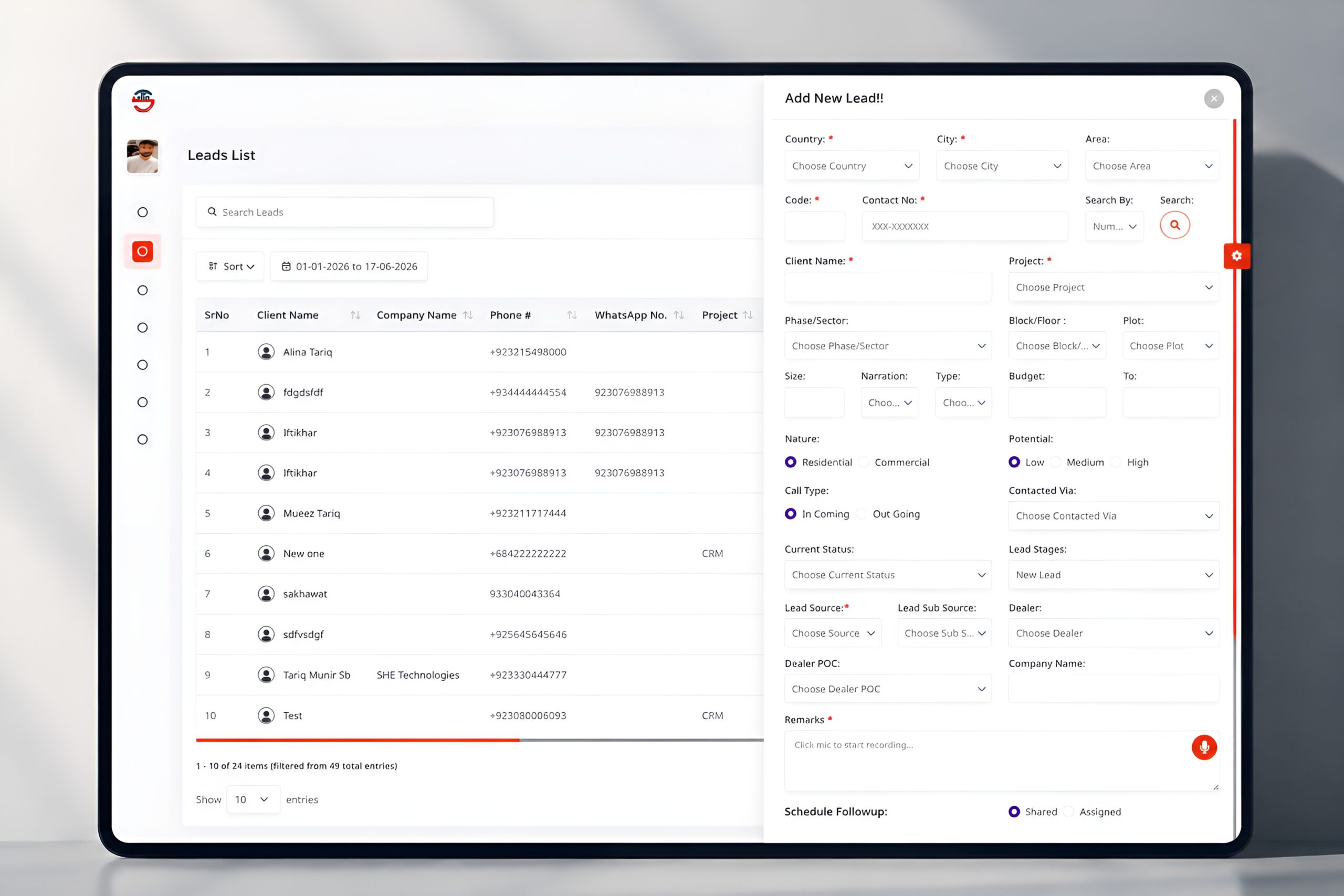
Add New Lead

Easily save and track new client leads, including contact information, address, project interest, property needs, budget, and lead type. Monitor source, status, assign dealers, voice comments, and schedule follow-ups.

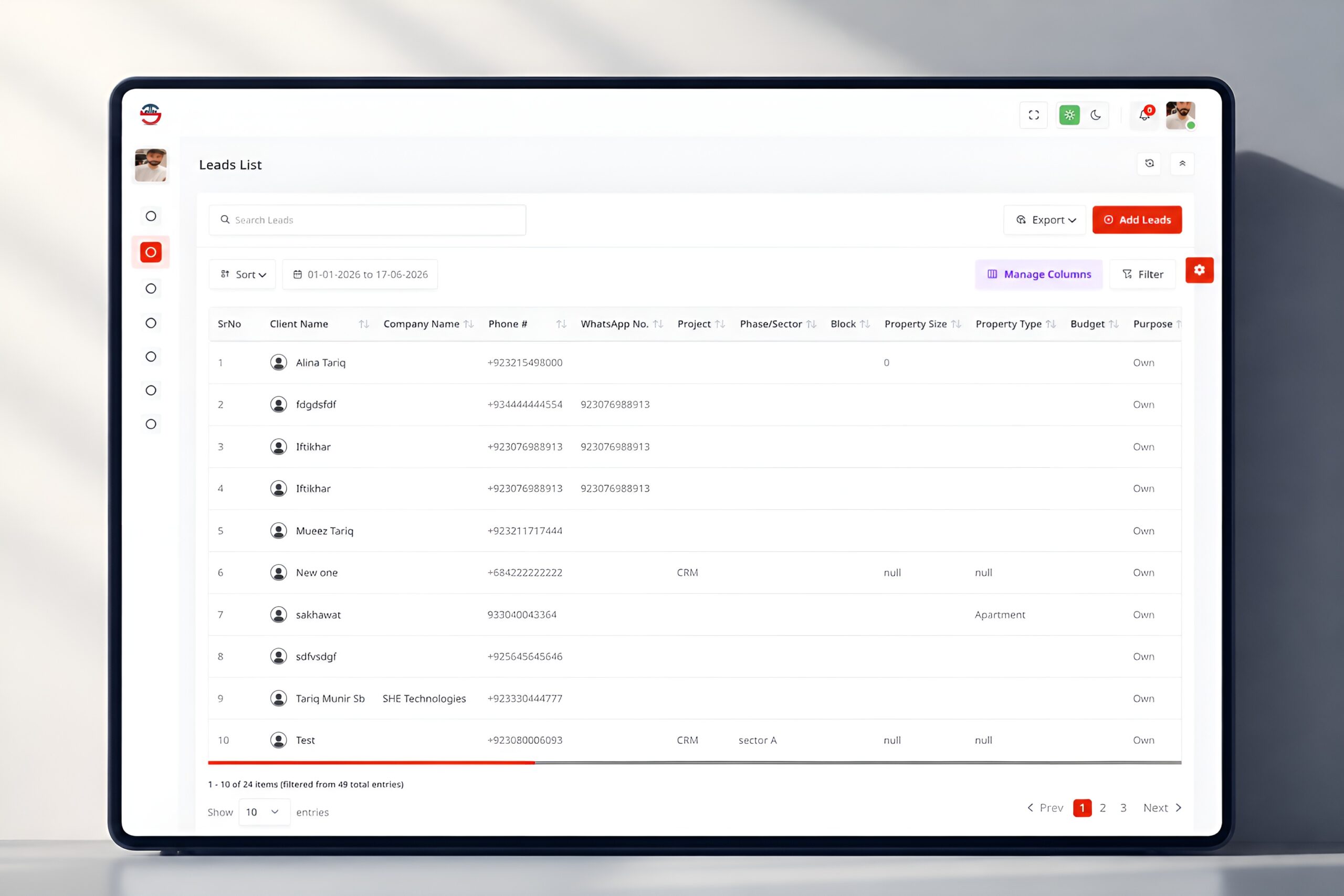
Leads List

See all leads in an organized table with the information of the client, project preference, and budget. Search, filter, sort, and export, and add new leads to manage easily.

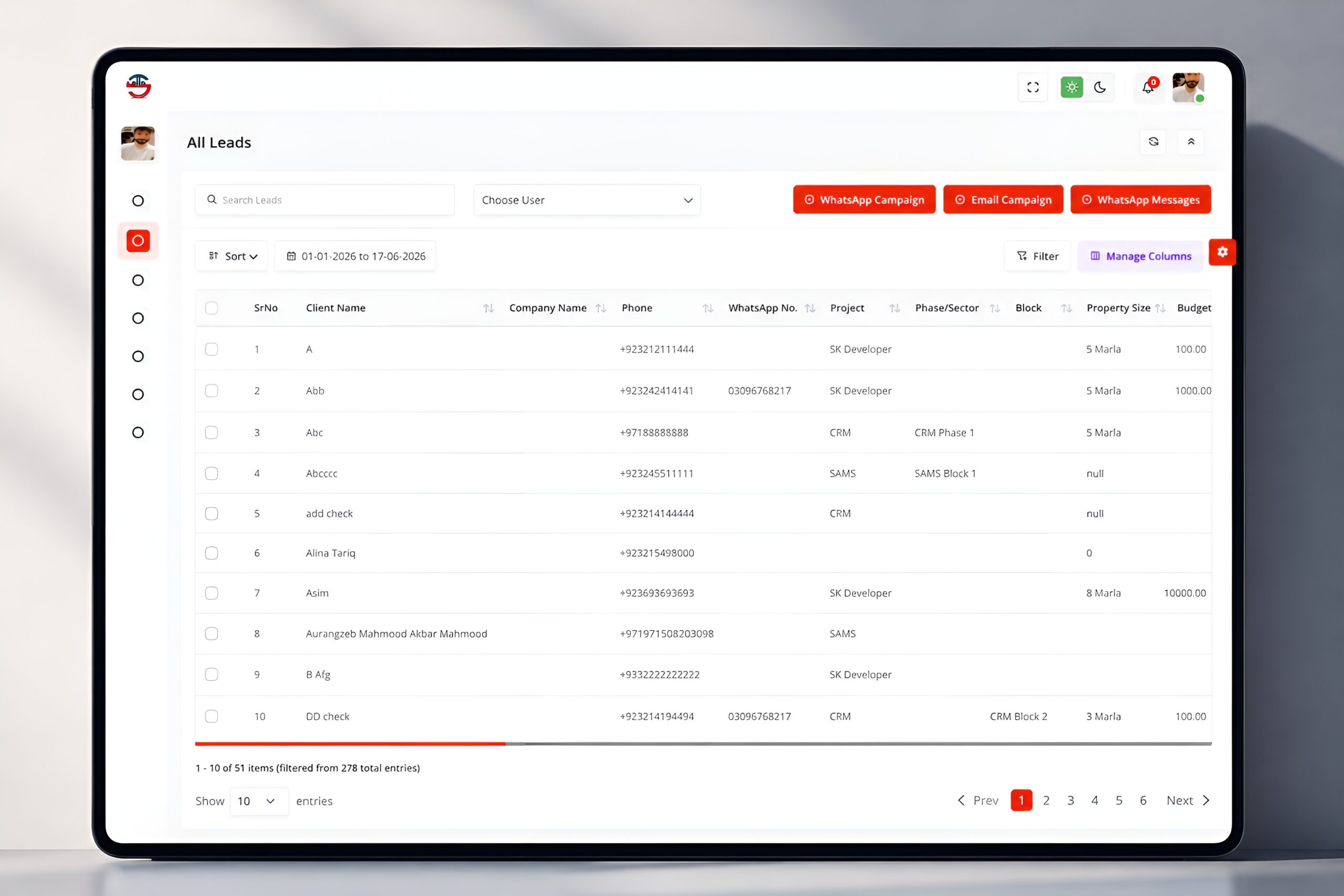
All Leads

Explore the full leads database and its essential information such as client name, contact details, project, property size, and budget. Filter, sort, and run bulk outreach campaigns through WhatsApp or email.

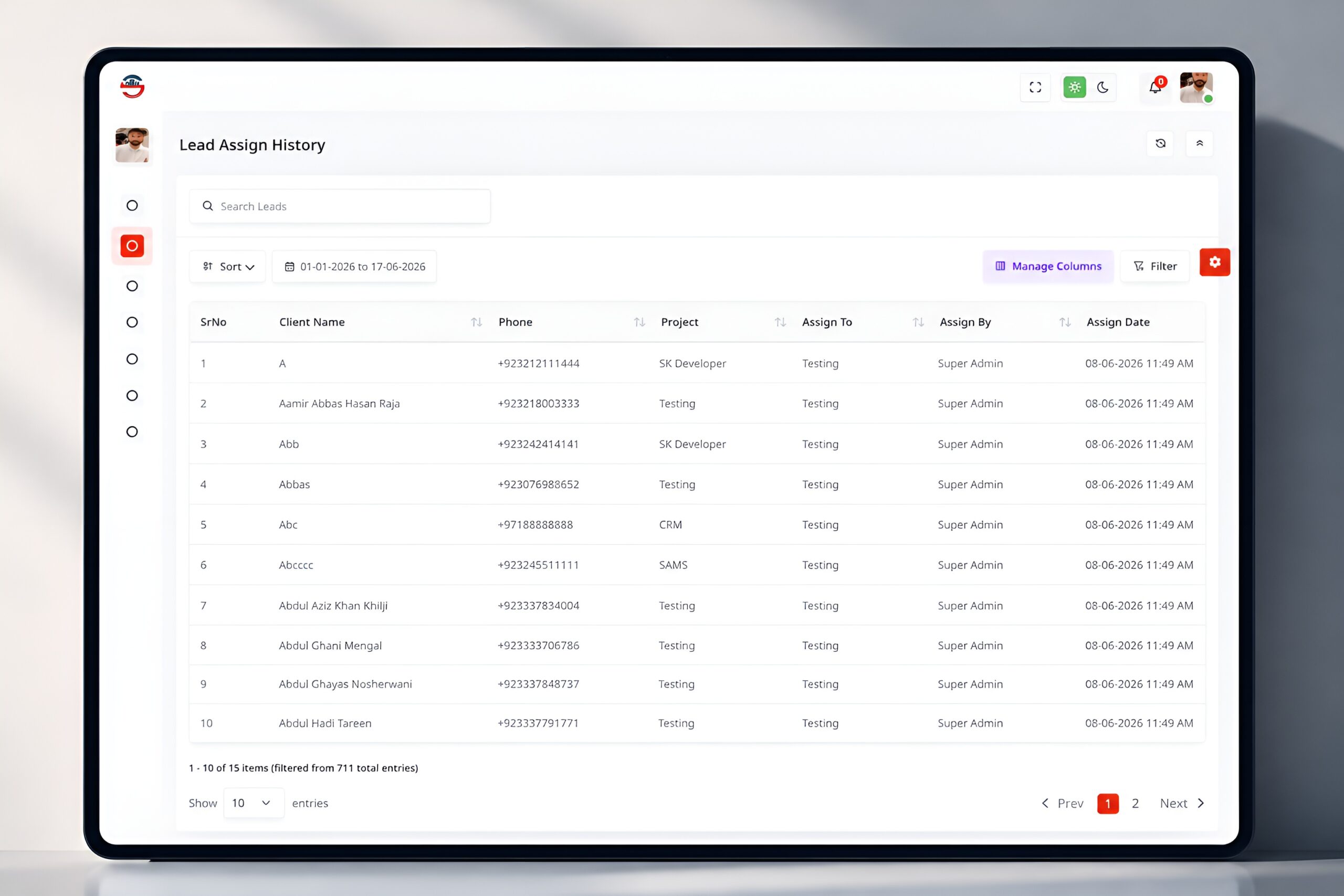
Lead Assign History

Manage all leads with all the details of clients, projects, team members assigned, and date stamps. Easily monitor team performance with search and filtering options.

Get Leads From Facebook

Automatically import FB leads with pages and date range. Check reports, find duplicates, and assign leads to projects and regions for proper management.

Import Excel Leads

Import multiple leads via an Excel file. Assign projects and regions and automatically detect duplicate entries for data quality.

WhatsApp Leads By Ultra

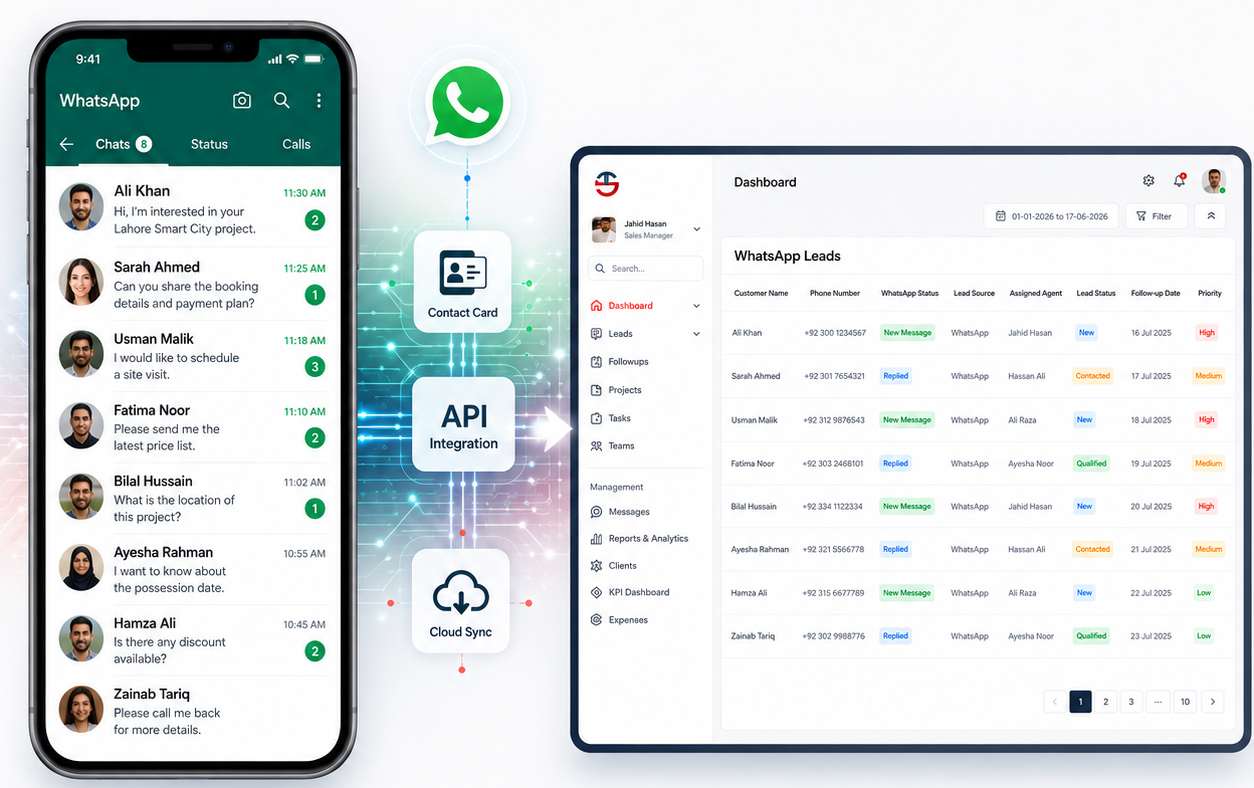
Get and deal with leads via WhatsApp, with full chat history and contact information. Convert and manage leads quickly with filters and quick actions.

Contact Number

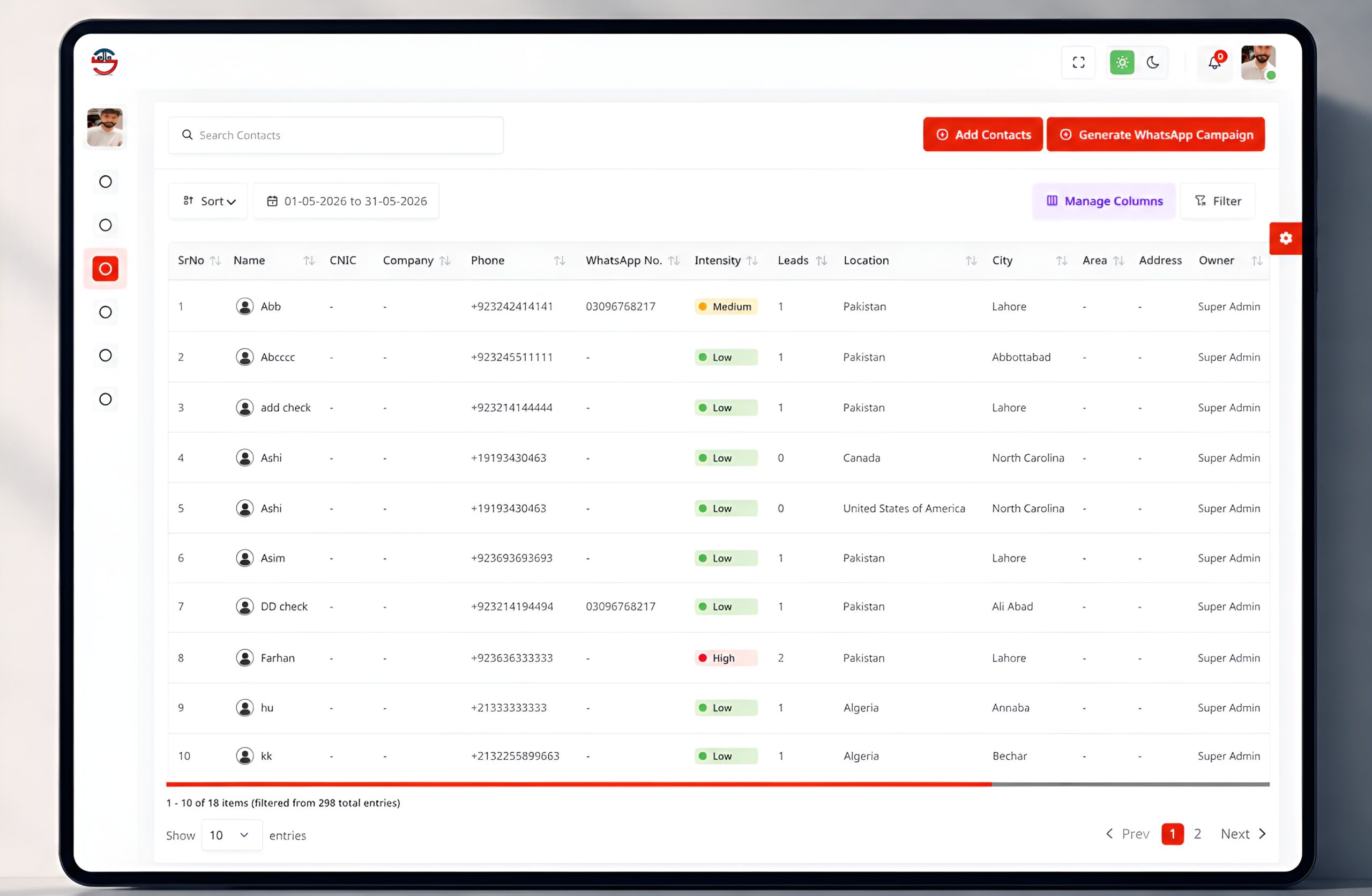
Contact List

All contacts are stored in one central location in the Contact List, separate from leads. It has personal, company, and communication information that can be easily searched and filtered. Users can monitor leads they’ve assigned and execute WhatsApp campaigns for improved engagement.

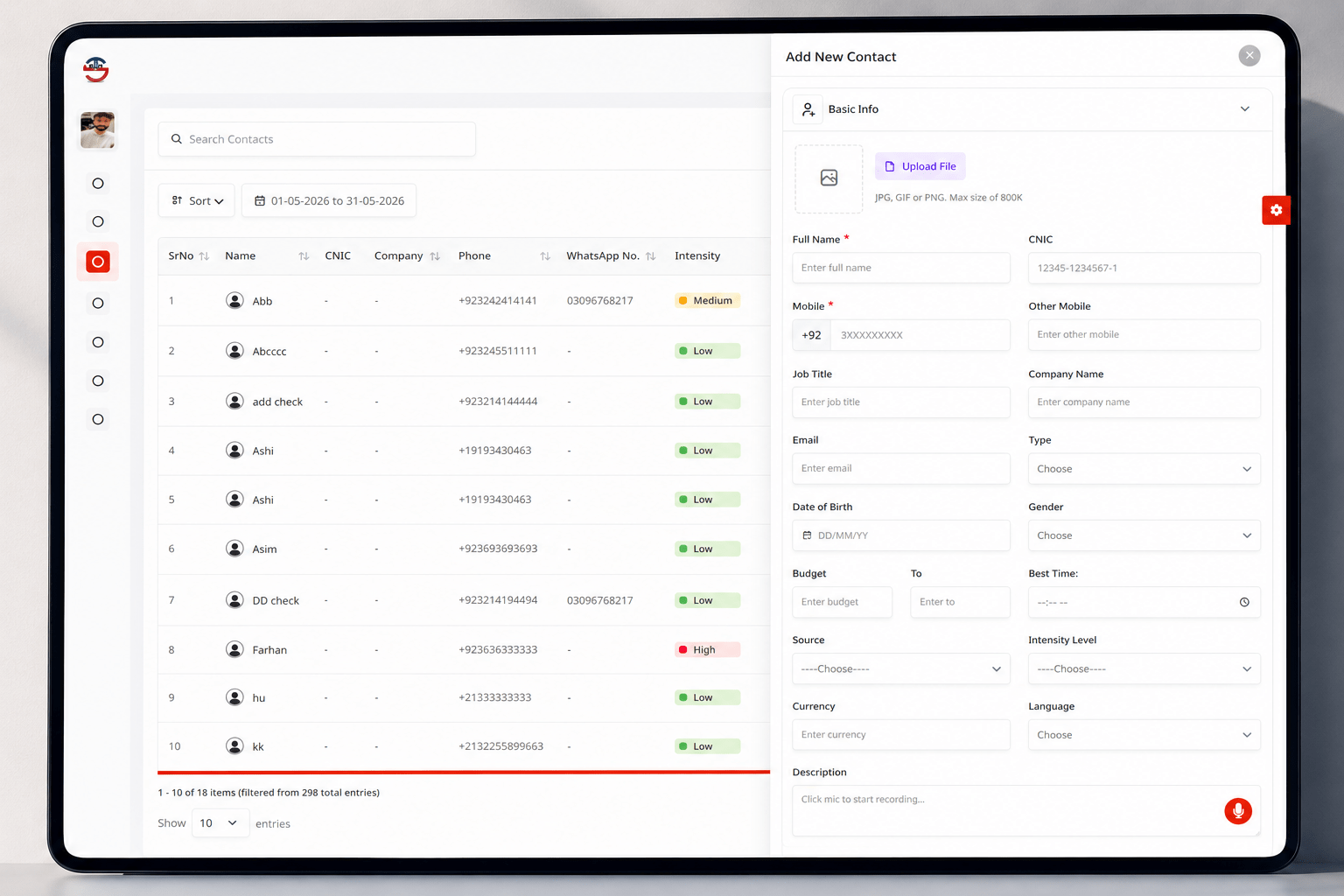
Add New Contact

This module enables you to create detailed contact profiles and add required and optional fields to them. It contains individual information, business data, spending plan, choices, and communication information. The user can also add notes with voice input for quick and efficient data entry.

Reports

Staff Productivity Report

This report gives a full view of staff performance and activity measures. It records calls, follow-ups, meetings, and communication via various mediums. Managers can effortlessly analyze and compare performance, filter data, and easily identify top performers.

Mature Leads Report

Mature Leads displays all deals that are on the closing table. It contains client, project, pricing, discounts, and payment information. The user can filter and analyze the data, allowing them to monitor sales performance effectively.

Duplicate Leads Report

This module is designed to detect duplicate contact numbers for data integrity. It shows information about clients, projects, and sources for easy comparison. Users can easily eliminate, filter, and manage duplicate records.

Overall Combined Lead Report

This report provides a comprehensive view of team performance and activities related to leads. It has calls, meetings, visits, and tracks progress – all in one dashboard. Managers can use data filters to make decisions and increase productivity.

Close Leads Report

The Close Leads module keeps a complete history of all leads that have been closed and dropped from the sales pipeline. It enables users to see important information, such as the client, project information, why they have closed the lead, and who on the team was responsible for closure. The module offers enhanced search, filtering, sorting, and column management tools which assist businesses to review lost opportunities, uncover common reasons for lead failures and streamline lead conversion strategies for the future.

Close Lead Request List

The Close Lead Request List module enables organisations to keep track of and control requests for leads that are pending closure. It offers a single place for viewing all requests submitted, such as client information, project details, reasons for closing, lead ownership and request history. The search, filter, sort, and column management features allow managers to more easily review, approve, and monitor lead closure requests, bringing more transparency, accountability, and control to the sales process.

Date Wise Source Leads Report

The Date Wise Source Leads Report is a comprehensive report of lead generation performance by different marketing channels for a specific timeframe. It enables users to see the daily count of leads coming from each source, providing them with transparency in evaluating the effectiveness of their marketing campaigns and lead generation strategies. The report also features a detailed lead-level breakdown and how users can track each lead, monitor source performance, and make informed decisions about how to optimize marketing and sales efforts.

Reference Wise Lead Report

The Reference Wise Lead Report gives a clear view of how each referral source is doing in terms of leads generated. It provides a summary of all the leads generated from a particular source or referrer, which can help businesses determine which channels are most effective in generating new leads. This report will identify the best-performing referrer network, as well as offer a general overview of the number of leads received, enabling improved marketing decisions and resource allocation.

Staff Calls Report

The Staff Calls Report allows managers to keep track of call activity that has been carried out by team members, thus improving the performance and productivity of communication. It features detailed call records, Call Summaries (total talk time), call recording, and AI Transcription of the audio content. The report allows the organization to analyse the quality of calls, monitor employee engagement, and gain insightful data on customer interactions with advanced search, filtering, sorting capabilities, and management of columns.