


Do You Need Help?
19-A New Chauburji Park, Lahore, Pakistan.
Budget Management
The Budget Management module provides a complete solution for creating, approving, and monitoring financial budgets. Users can define account-wise and monthly budget allocations, review and authorize budgets, and analyze planned amounts against actual expenditures. The system also provides clear budget totals and variance analysis to support accurate financial planning, control, and decision-making.
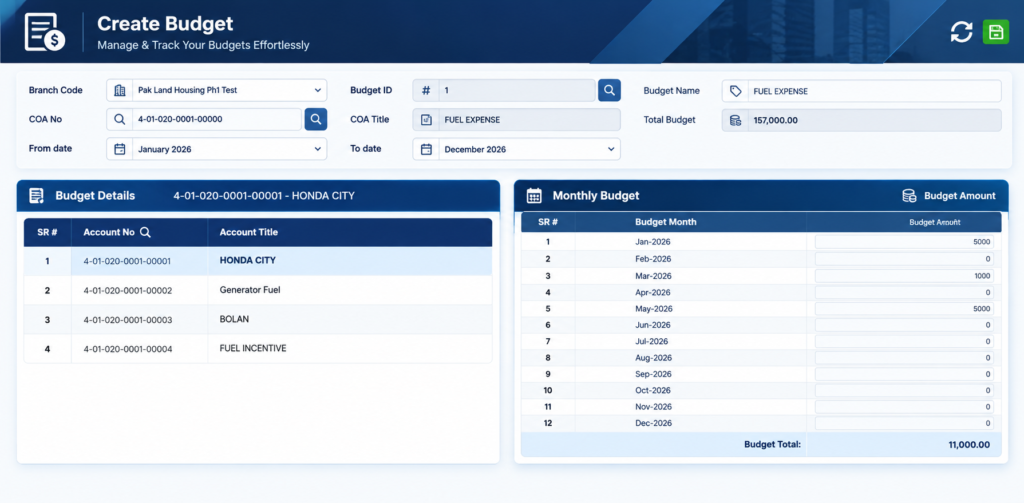
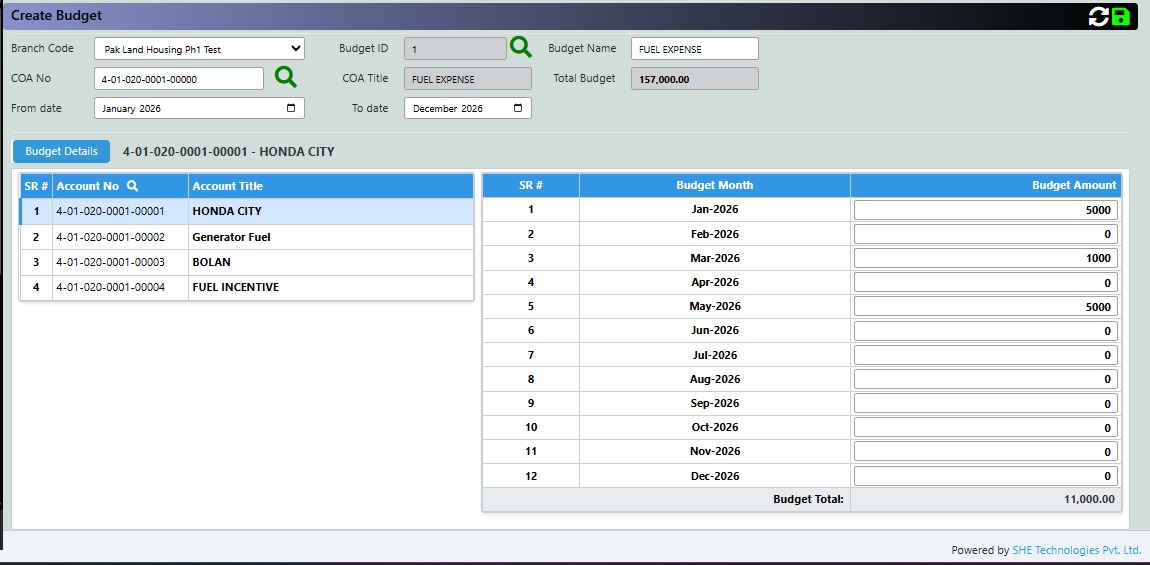
1. Create Budget
The Create Budget screen is used to establish and manage budgets for a specific branch, account, and financial period. Users can select the relevant Chart of Accounts, define the budget name and period, and allocate budget amounts on a monthly basis. The system provides a detailed view of the selected accounts and their monthly allocations, while automatically calculating the total budget for the account and overall budget.
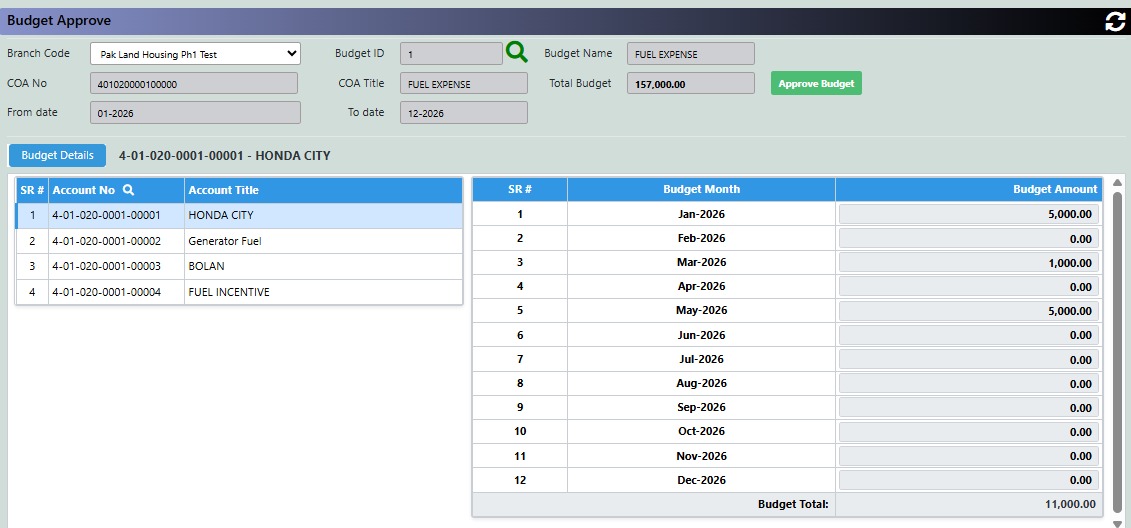
2. Budget Approve
The Budget Approve screen is used to review and authorize a previously created budget before it is finalized. Users can view the budget information, financial period, associated Chart of Accounts, account-wise allocations, and monthly budget amounts. After verifying the budget details, the authorized user can select Approve Budget to formally approve the budget.
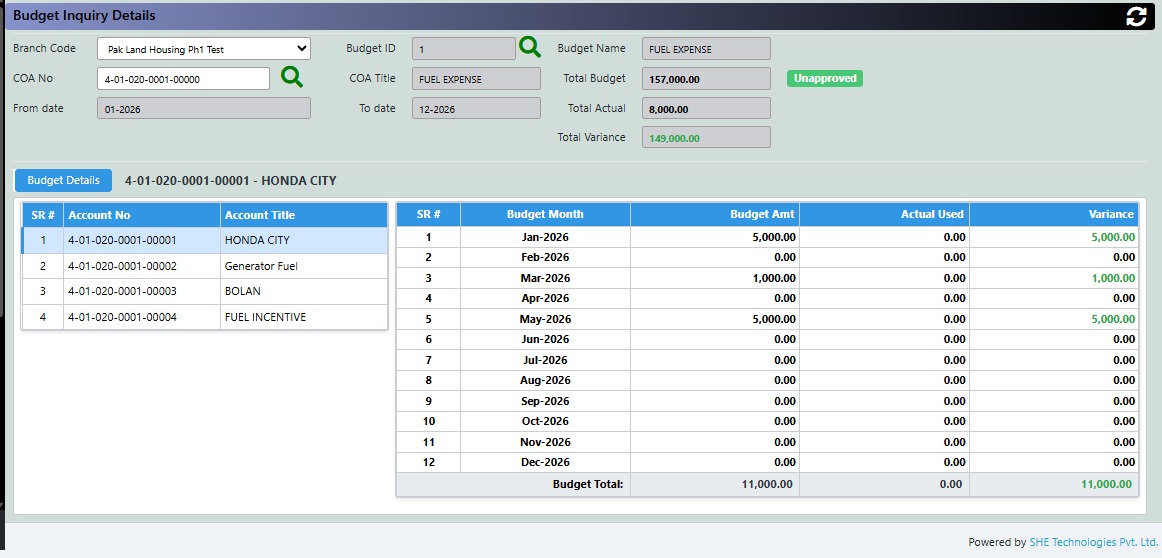
3. Budget Inquiry Details
The Budget Inquiry Details screen is used to monitor and analyze an existing budget by comparing the approved/planned budget with actual expenditure. Users can retrieve a budget based on branch, budget, and COA information and review account-wise and month-wise budget allocations, actual amounts utilized, and resulting variances. The screen also provides summary figures for Total Budget, Total Actual, and Total Variance to support budget monitoring and financial review.