Do You Need Help?
19-A New Chauburji Park, Lahore, Pakistan.
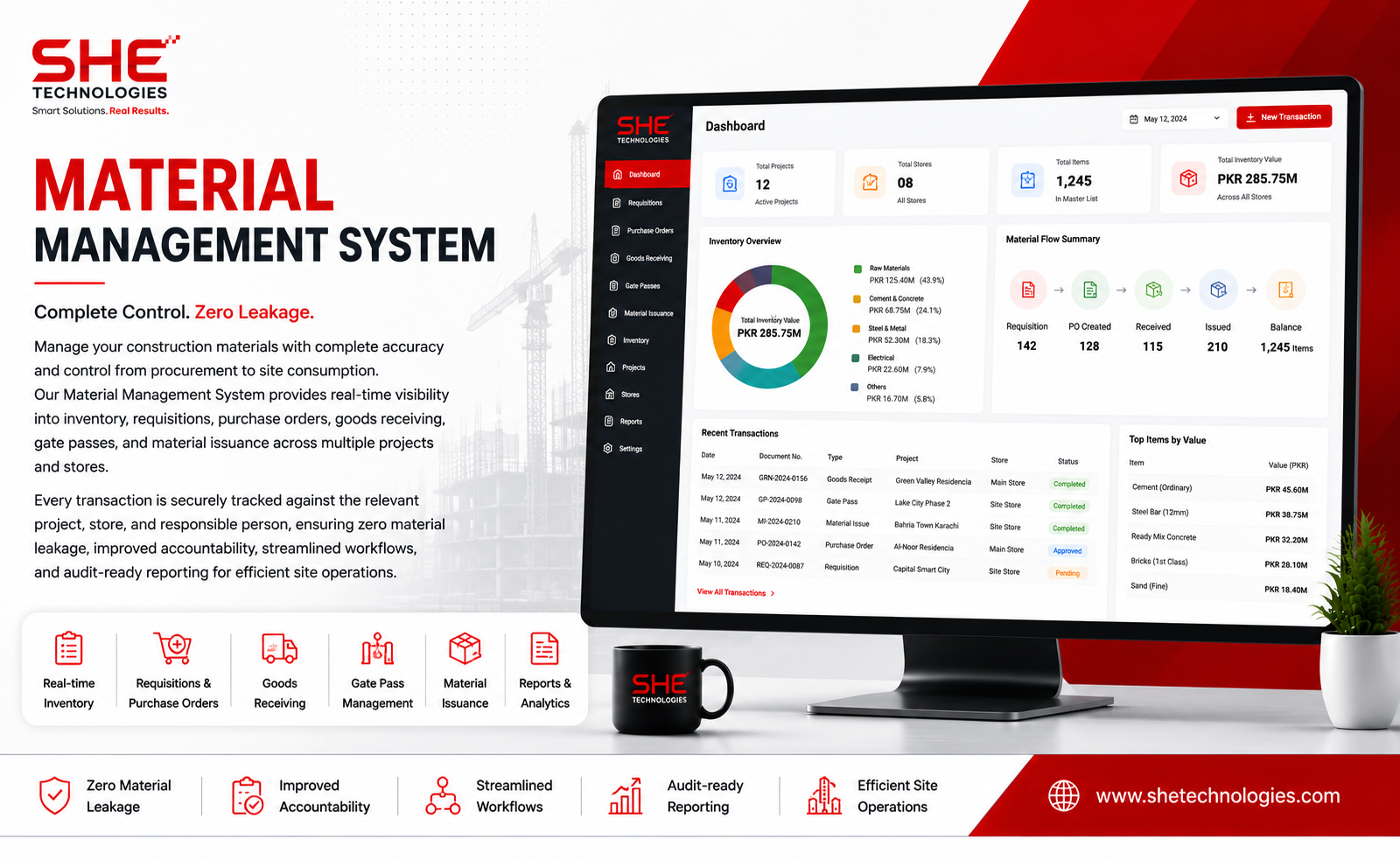
Manage your construction materials with complete accuracy and control from procurement to site consumption. Our Material Management System provides real-time visibility into inventory, requisitions, purchase orders, goods receiving, gate passes, and material issuance across multiple projects and stores. Every transaction is securely tracked against the relevant project, store, and responsible person, ensuring zero material leakage, improved accountability, streamlined workflows, and audit-ready reporting for efficient site operations.
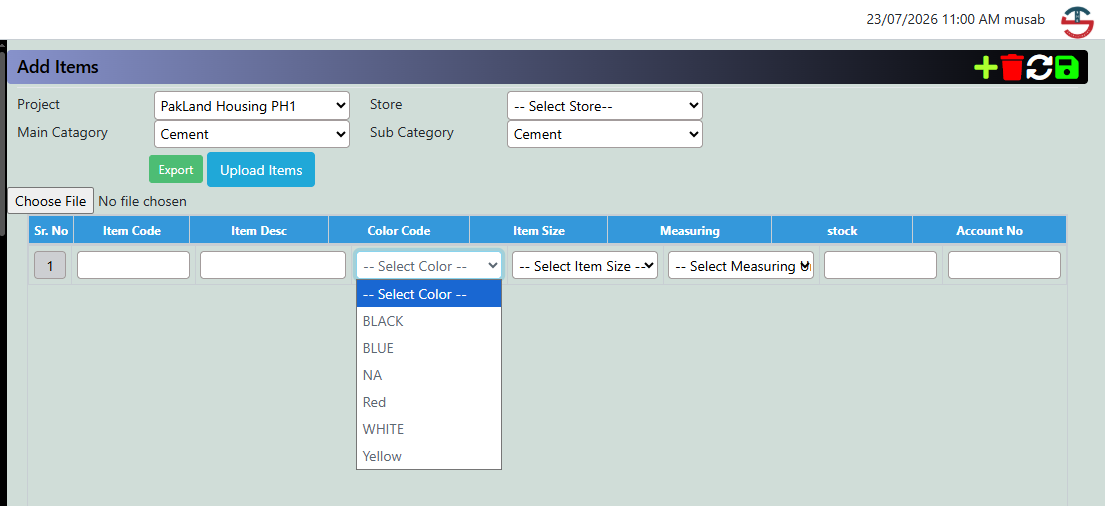
1. Add Items — Build Your Master Catalogue
Set up every material once, with category, color, size and unit captured up front.
- Bulk-upload via Excel or add items one by one.
- Grouped by Main Category and Sub Category.
- Export the catalogue anytime for review or vendors.
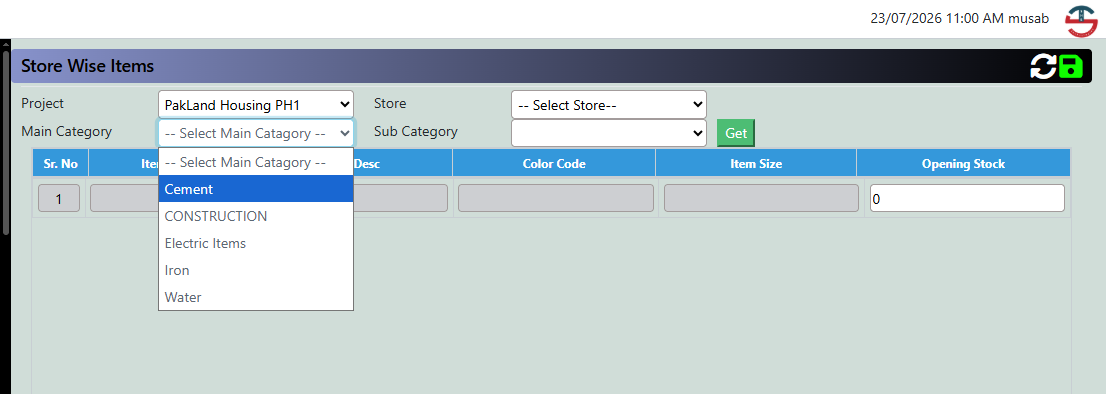
2. Store Wise Items — Know What's on Every Shelf
Each project can run multiple stores, each with its own opening stock per item.
- Filter instantly by Project, Store and Category.
- Set accurate opening stock for trustworthy balances.
- Color, size and description visible while entering stock.
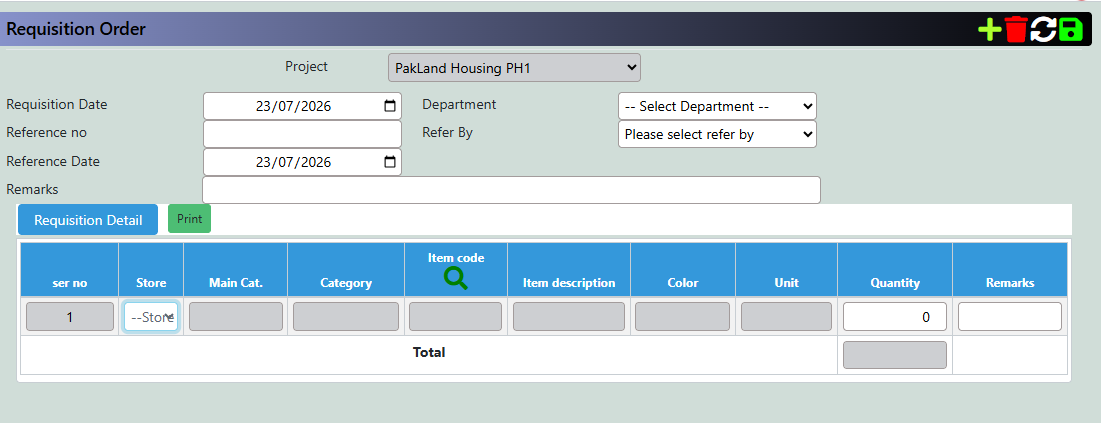
3. Requisition Order — Let Sites Ask for What They Need
Site staff raise a requisition the moment material is needed — no calls, no paper slips.
- Logged with date, department and referral for accountability.
- Item picker auto-fills category, color and unit.
- Print-ready requisition slip in one click.
4. Purchase Demand Note — Consolidate Requests Into a Formal Demand
Approved requisitions flow into a formal demand, checked against current stock before ordering.
- Item, color, unit and current stock pre-filled.
- Live stock shown beside requested quantity.
- Demand number, reference and required date tracked.
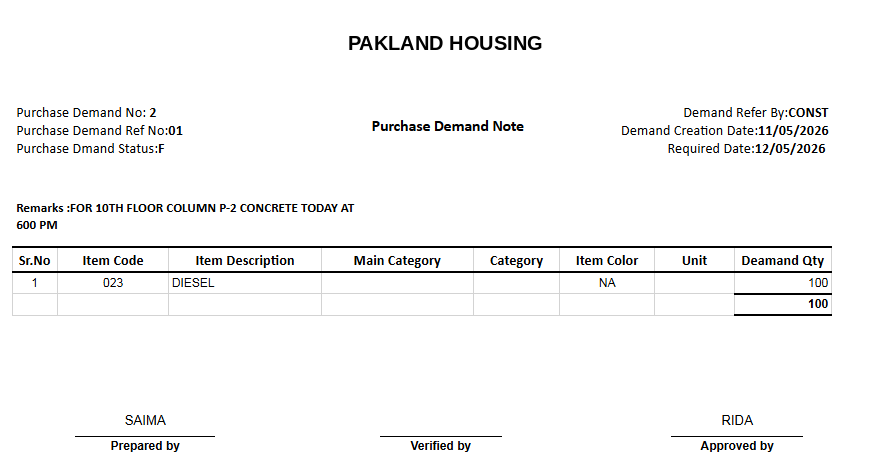
5. Purchase Demand Note — Print & Approve
Every demand note prints as a clean, signable document ready for sign-off.
- Demand status shown at a glance.
- Prepared / Verified / Approved By signatures included.
- Quantities totaled automatically.
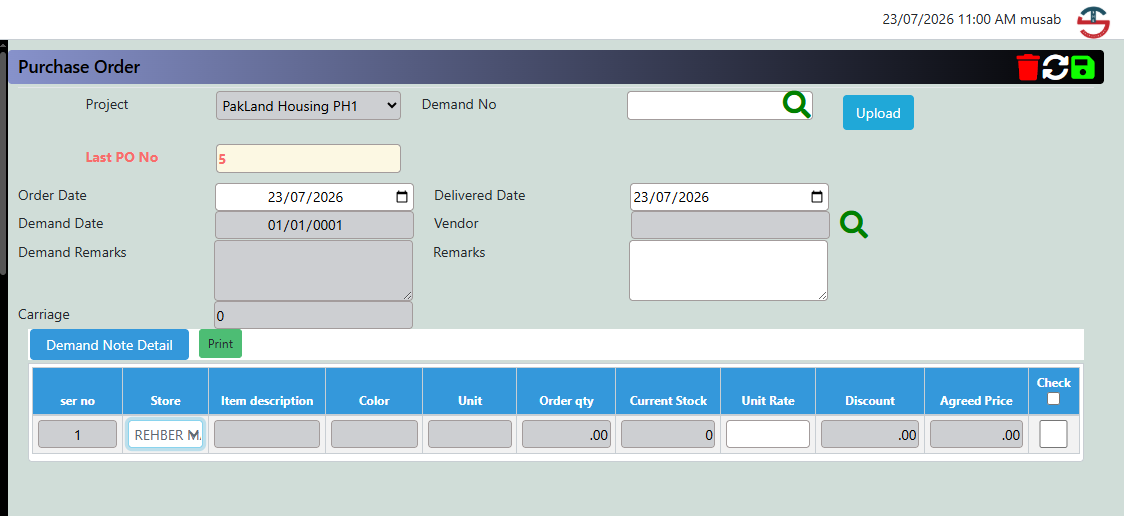
6. Purchase Order — Turn Demand Into Action
Generate a Purchase Order straight from an approved demand — no re-keying.
- Load a full Demand Note in one step.
- Order date, delivery date, vendor and carriage on one screen.
- Unit rate, discount and agreed price per line.
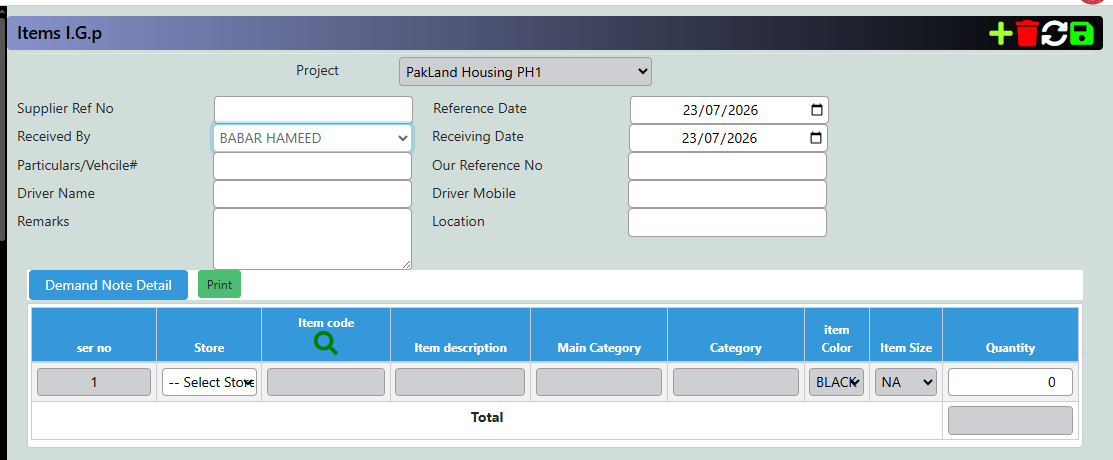
7. Items I.G.P — Log Every Delivery at the Gate
The Inward Gate Pass records each delivery — driver, vehicle, quantity and receiver — before it reaches the shelf.
- Driver, vehicle and mobile number captured.
- Linked to the Demand Note for quantity match.
- Print generates an official gate pass.
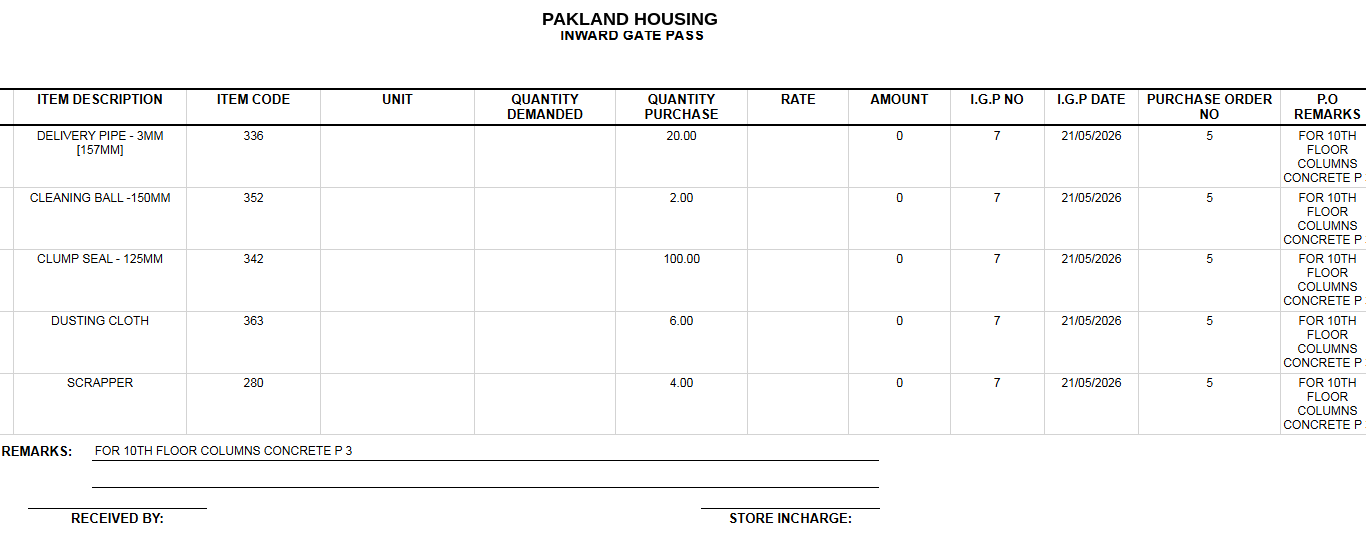
8. Inward Gate Pass — Print & File
A formatted report lists every item received, quantity purchased vs demanded, and the linked PO.
- Quantity Demanded vs Purchased side-by-side.
- Linked to the Purchase Order Number.
- Signature lines close the loop on-site.
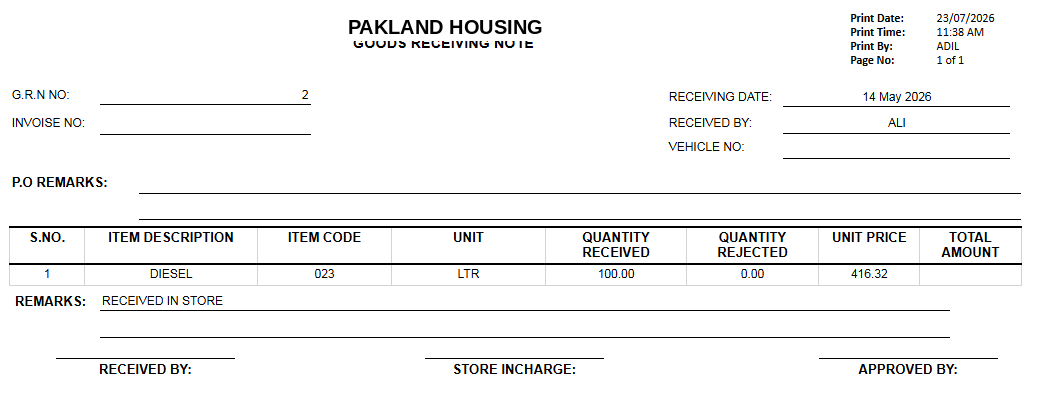
9. Goods Receiving Note — Confirm, Reject, Reconcile
The final check before stock is accepted — quantity received, rejected and unit price, with sign-off.
- Quantity Rejected sits beside Quantity Received.
- Unit Price and Total tie to project cost tracking.
- Three-way sign-off builds an audit trail.
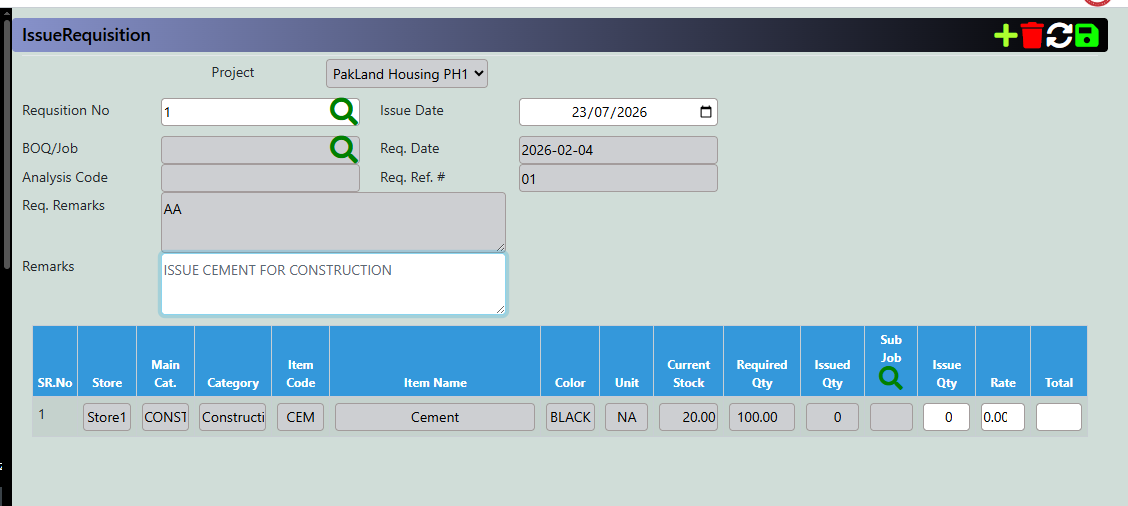
10. Issue Requisition — Release Material to the Job
The final mile: material leaves the store, tied back to a requisition, job and sub-job.
- Required vs Issued Qty shown together.
- Sub Job linkage attributes cost correctly.
- Live stock check prevents over-issuing.