SHE Technologies

Do You Need Help?
If you need any helps, please feel free to contact us.

19-A New Chauburji Park, Lahore, Pakistan.

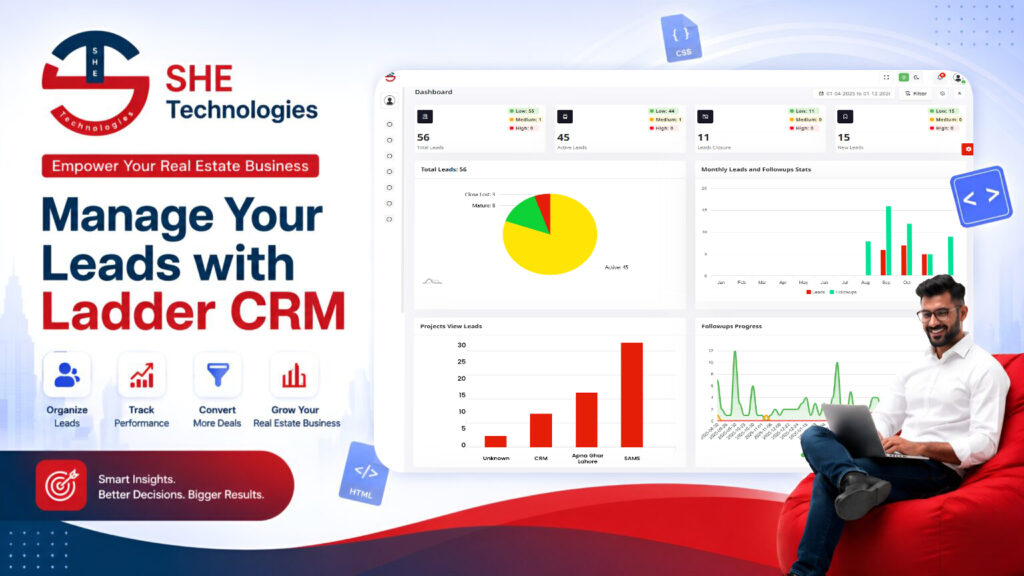
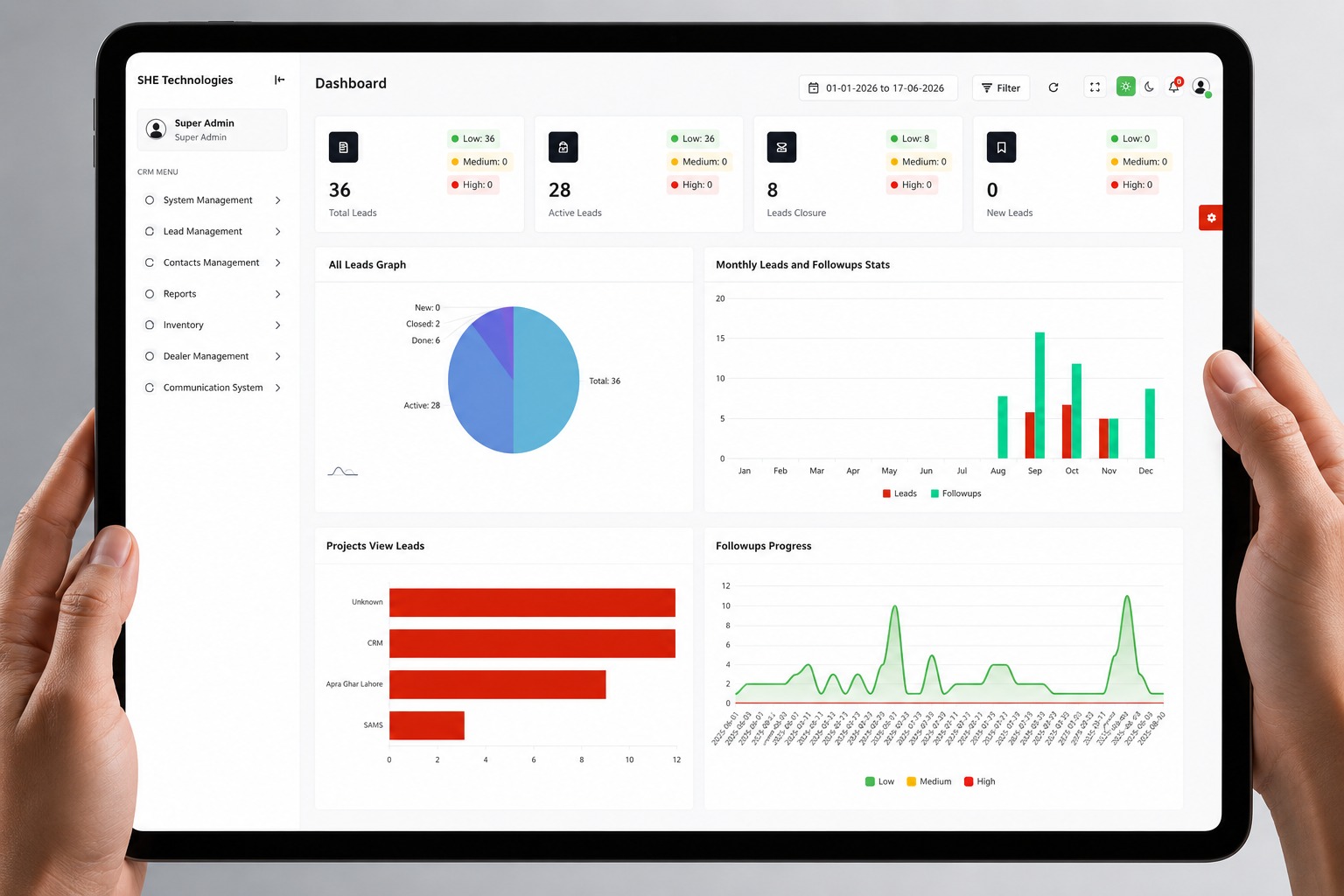
The Dashboard provides a centralized, real-time overview of key CRM activities, performance indicators, lead information, and operational statistics. It gives users and management a quick view of the current system status without requiring them to open individual modules or reports.

The dashboard consolidates important information from different areas of the CRM into a single interface, enabling users to monitor business performance, identify pending activities, and make informed decisions based on available data.

Key Dashboard Capabilities

1. Key Dashboard Capabilities

1.Lead Overview

Provides a summary of the overall lead activity within the CRM, including lead volume, lead status, assigned leads, and lead progression.

2. My Leads

Displays a user-specific summary of leads assigned to the logged-in user, allowing users to quickly monitor their current lead workload and progress.

3. Total Leads

Shows the total number of leads available within the user’s permitted access scope. This provides a quick indication of the overall lead volume being managed.

4. New Leads

Displays newly received or created leads and helps users identify fresh leads that require timely action and follow-up.

5. Pending Leads

Provides an overview of leads that are still in progress and require further communication, follow-up, or other actions before reaching a final outcome.

6. Mature Leads

Displays leads that have progressed to a mature or qualified stage, helping management identify leads with higher conversion potential.

7. Closed Leads

Provides a summary of leads that have reached a closed status. It helps users understand completed lead outcomes and evaluate overall lead closure activity.

8. Lead Source Overview

Provides a breakdown of leads according to their source, such as Facebook, Website, WhatsApp, Referral, Google Sheets, or other configured sources. This helps management identify which channels are generating leads.

9. Staff Performance

Provides an overview of staff-wise lead activity and productivity. Management can use this information to monitor lead assignments, handling, follow-ups, and overall staff performance.

2. Lead Assignment with Notification

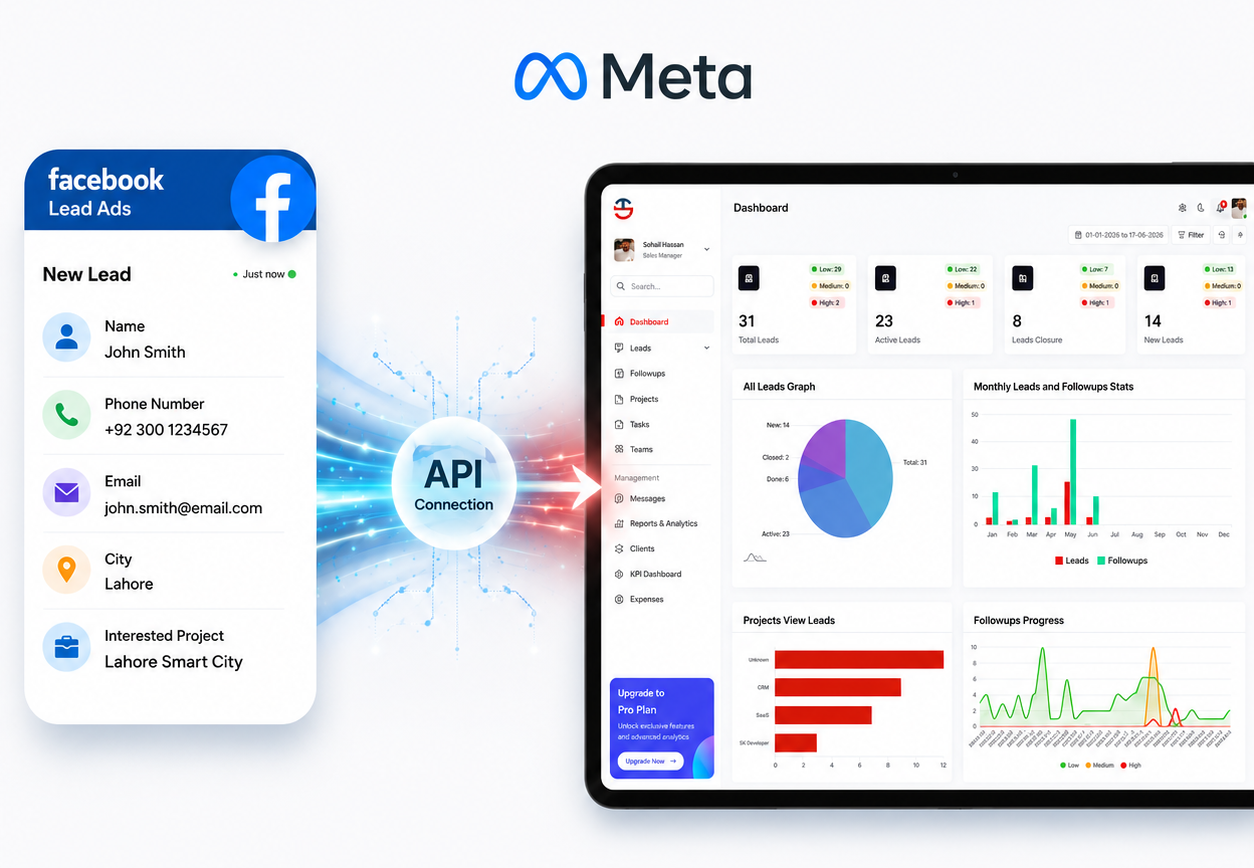
1. Get Leads From Facebook

  1. Facebook Lead Import – Import leads directly from Facebook pages.
  2. Smart Lead Assignment – Assign projects and regions automatically.
  3. Duplicate Detection – Eliminate duplicate leads for accurate CRM data.

2. Import Excel Leads

  1. Bulk Lead Import – Upload multiple leads instantly using Excel.
  2. Smart Data Assignment – Assign projects and regions automatically.
  3. Duplicate Detection – Prevent duplicate entries for accurate CRM data.

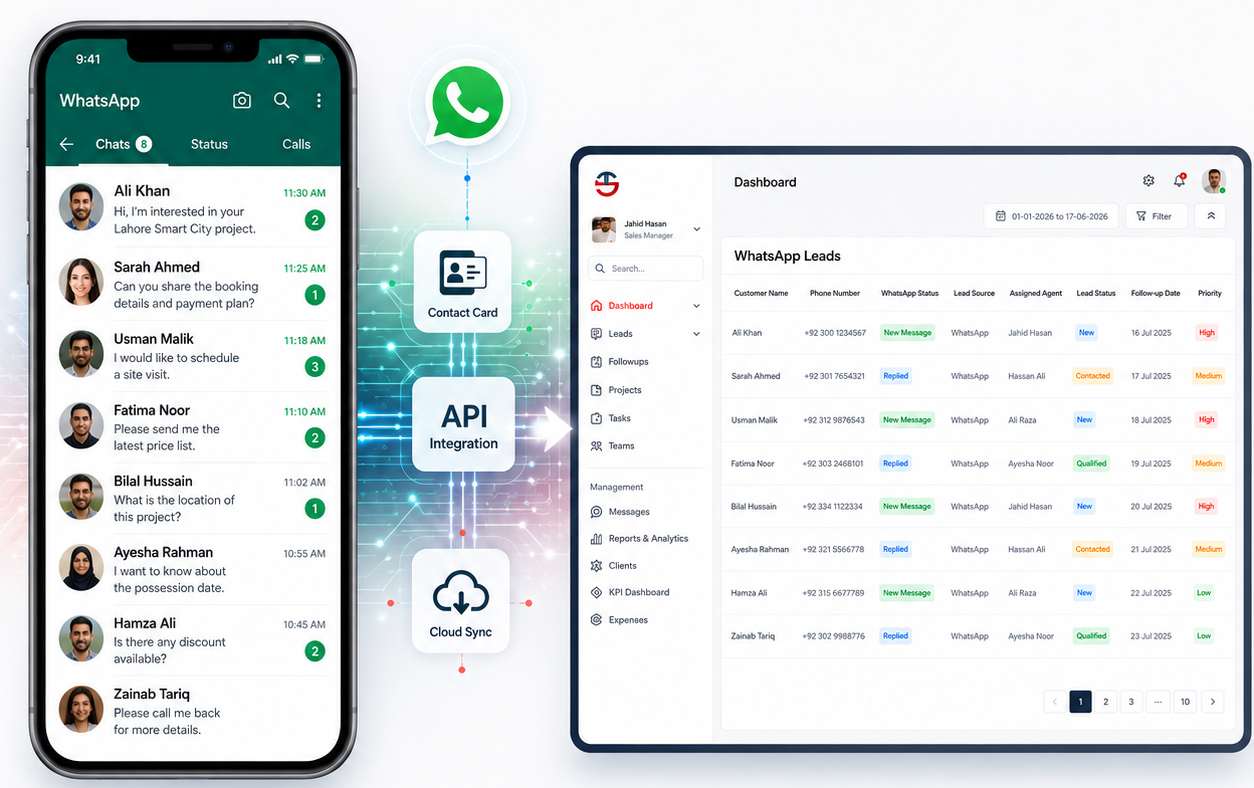
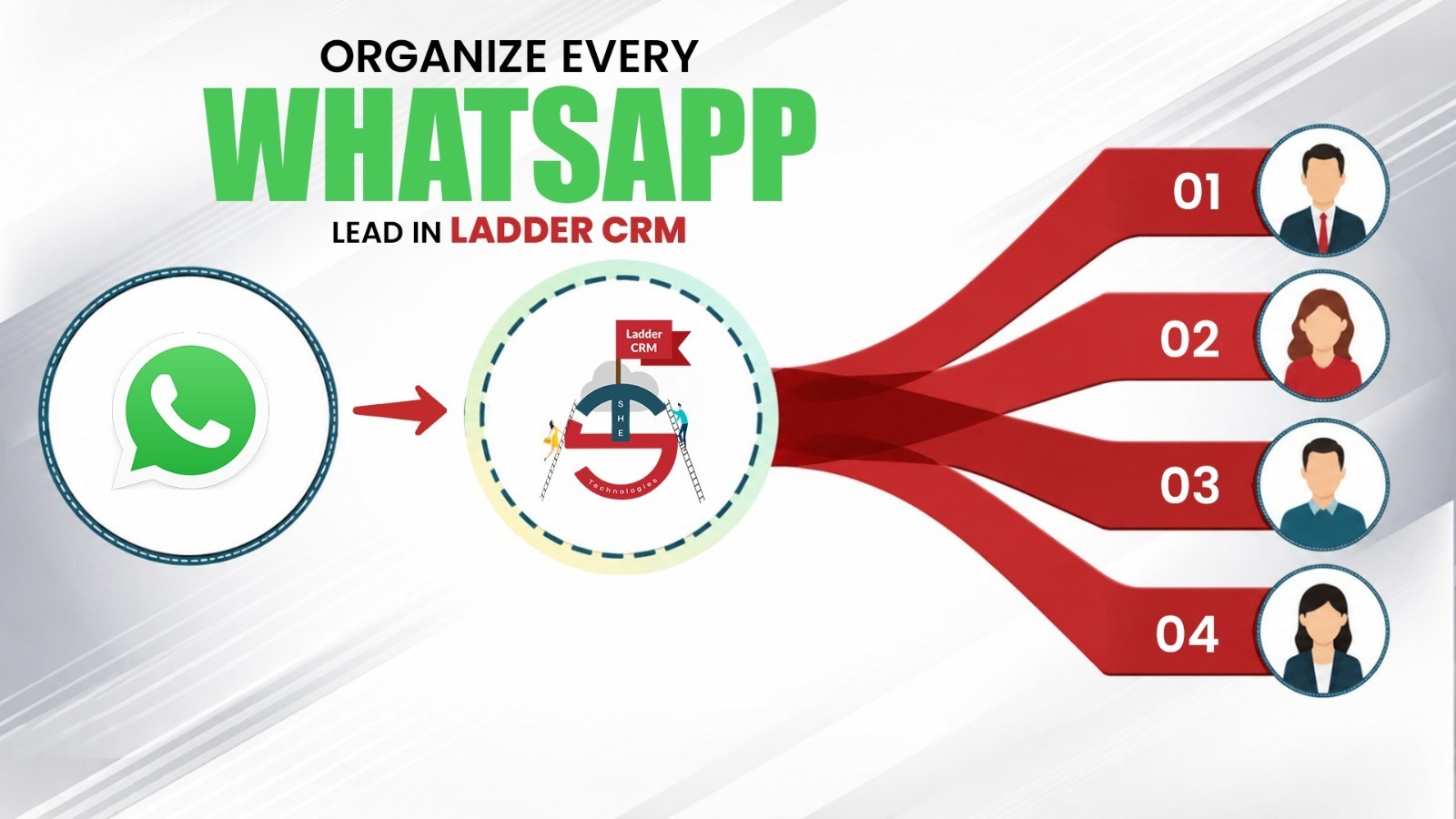
3. WhatsApp Leads By Ultra

  1. WhatsApp Lead Management – Manage leads directly through WhatsApp.
  2. Complete Chat History – Access conversations and contact details instantly.
  3. Faster Lead Conversion – Filter, manage, and convert leads with ease.
3. Call & Voice System

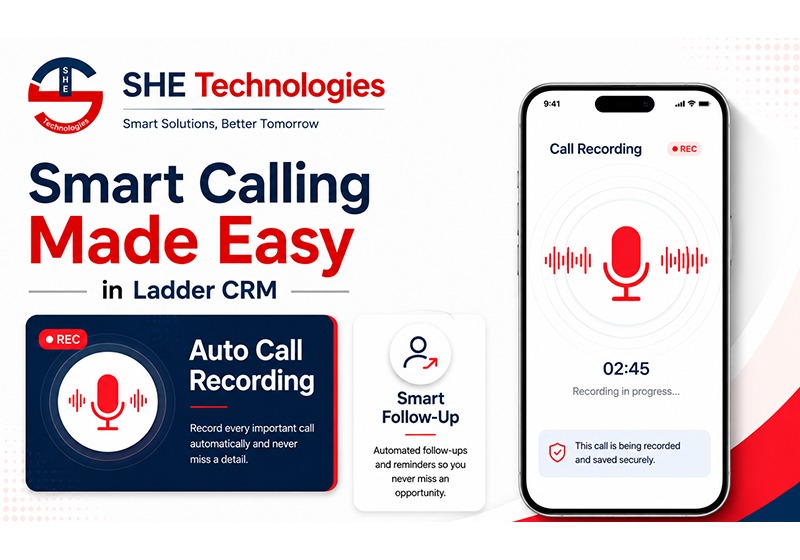
Smart Calling Made Easy

  1. Integrated Smart Calling – Make and manage calls directly within Ladder CRM.
  2. Automatic Call Recording – Securely record and store every conversation.
  3. Smart Follow-Up Automation – Stay on top of every lead with automated reminders.

International Calling with Twilio & Telnyx

  1. Global Calling Integration – Make and receive international calls with Twilio & Telnyx.
  2. Automated Call Management – Record every call and maintain complete call history.
  3. Smart Follow-Ups – Never miss a lead with automated follow-ups and call insights.


4. Leads Management & Auto FollowUp

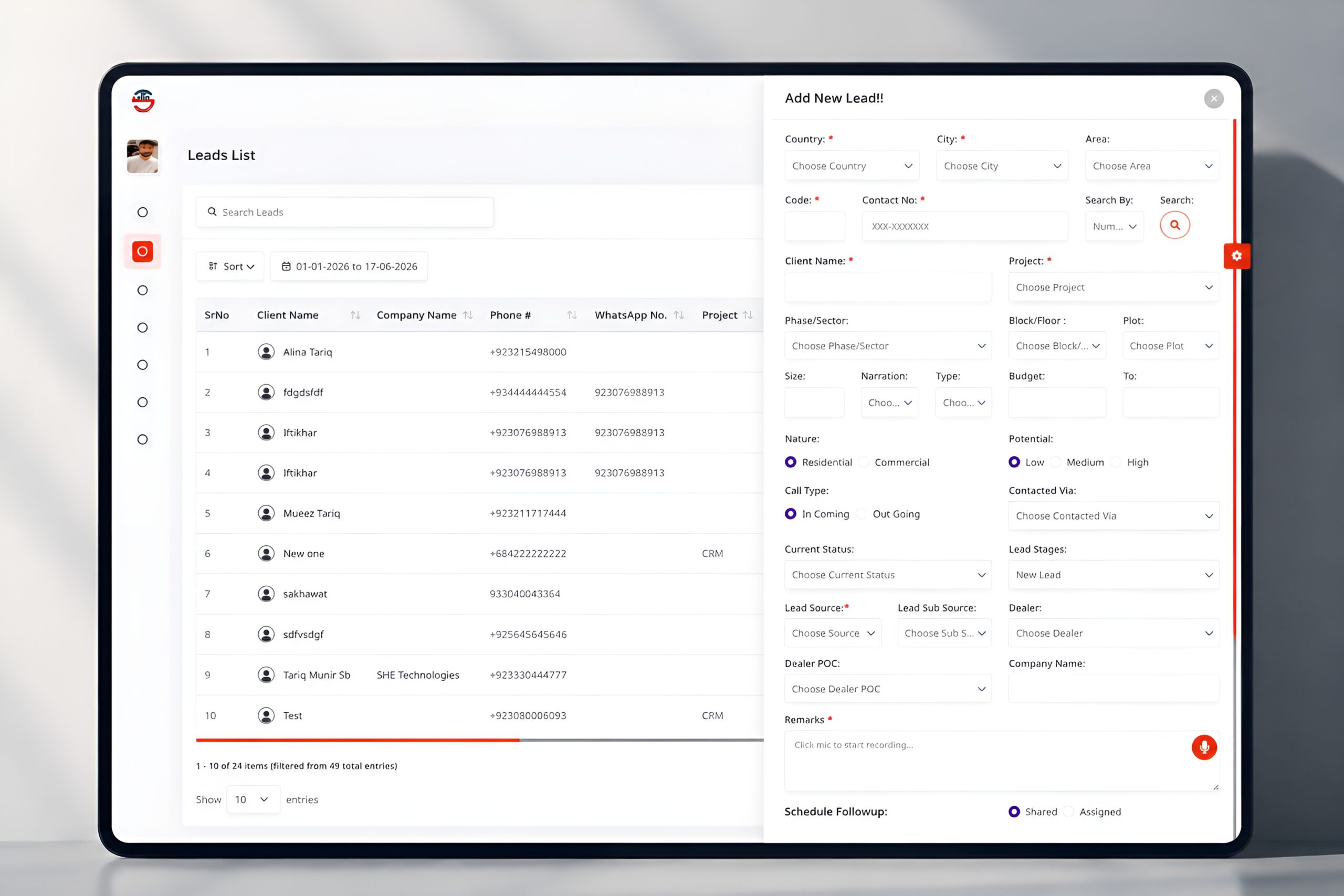
Add New Lead

  1. Lead Capture – Manage client and project details effortlessly.
  2. Smart Lead Tracking – Monitor lead status, sources, and assignments.
  3. Follow-Up Automation – Schedule follow-ups and record voice notes.

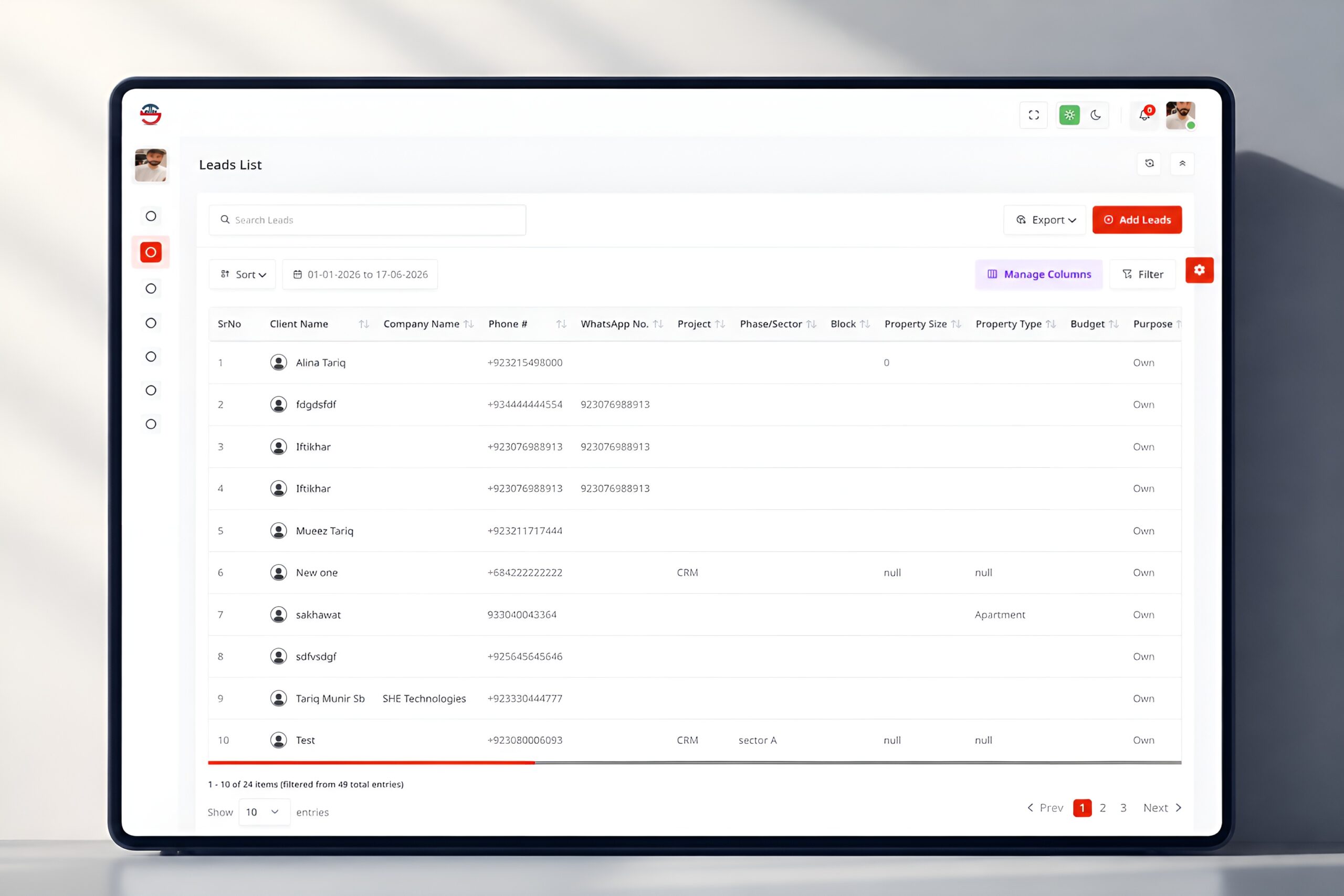
Leads List

  1. Organized Lead List – View all leads in one centralized table.
  2. Smart Search & Filters – Find, sort, and filter leads instantly.
  3. Easy Lead Management – Add, export, and manage leads with ease.

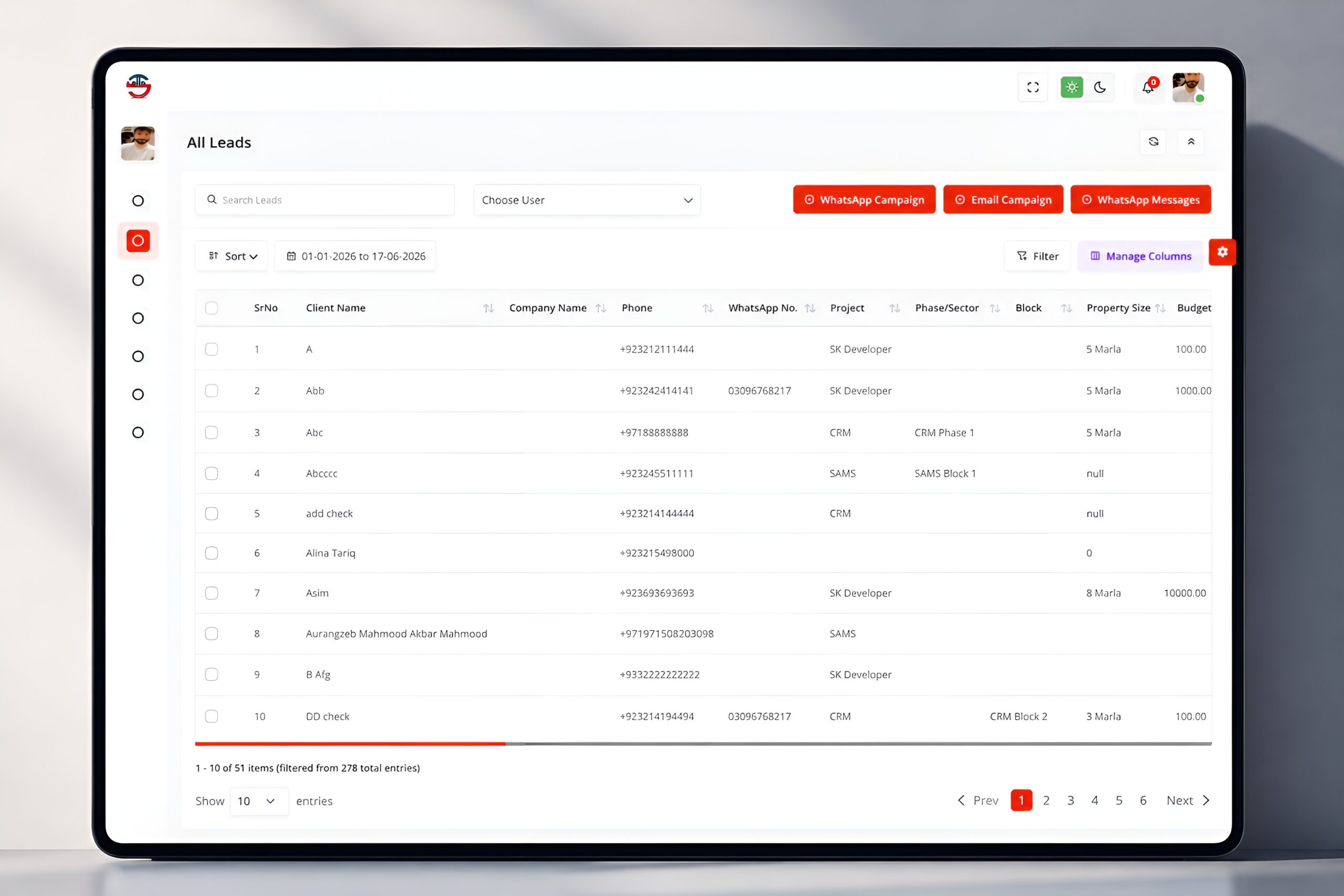
All Leads

  1. Complete Lead Database – Access all lead information in one place.
  2. Advanced Search & Segmentation – Filter, sort, and organize leads effortlessly.
  3. Multi-Channel Outreach – Engage leads through WhatsApp and email campaigns.

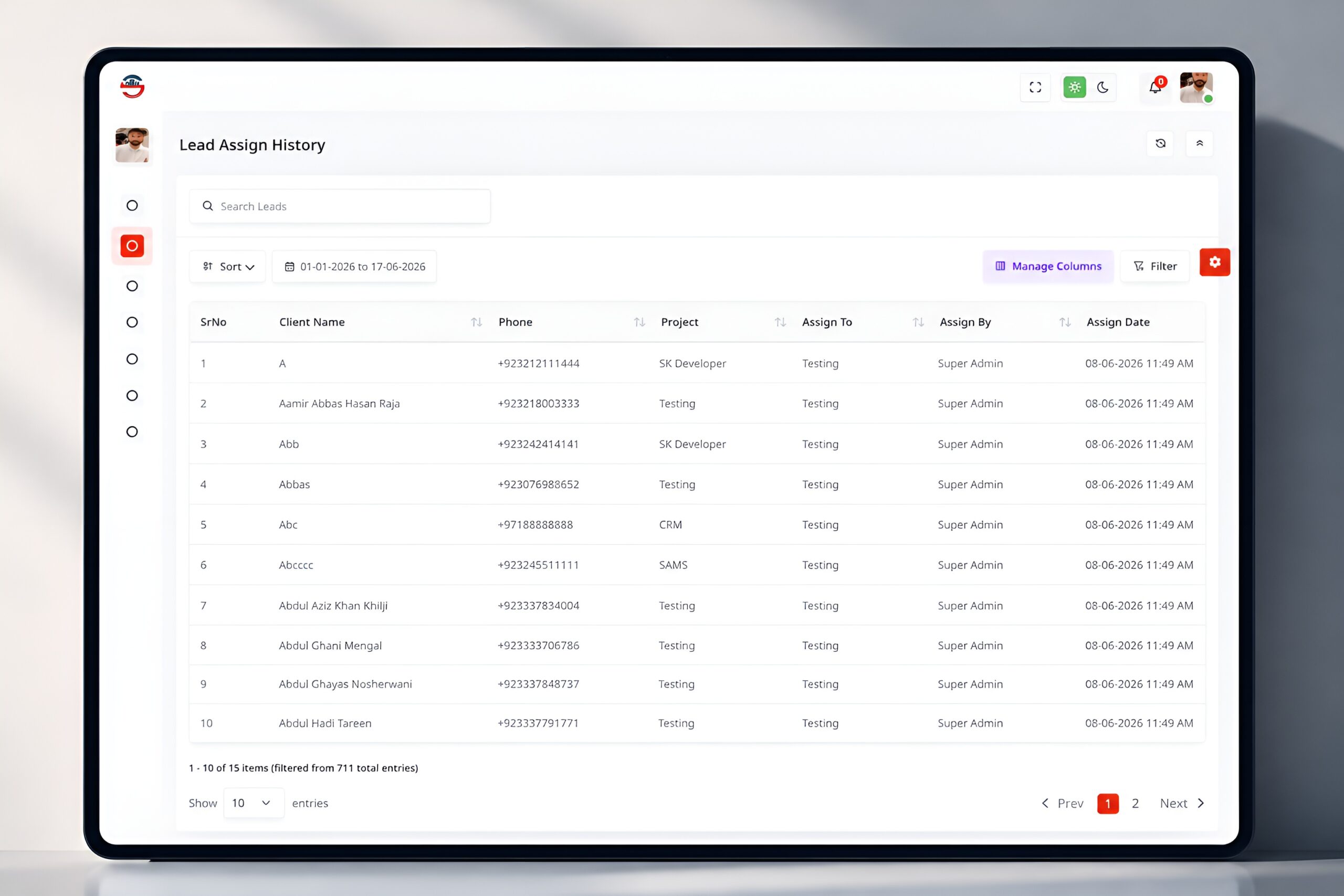
Lead Assign History

  1. Centralized Lead Management – Manage all leads from a single dashboard.
  2. Complete Lead Visibility – View client, project, team, and timeline details.
  3. Team Performance Tracking – Monitor progress with advanced search and filters.
5. Contact Management

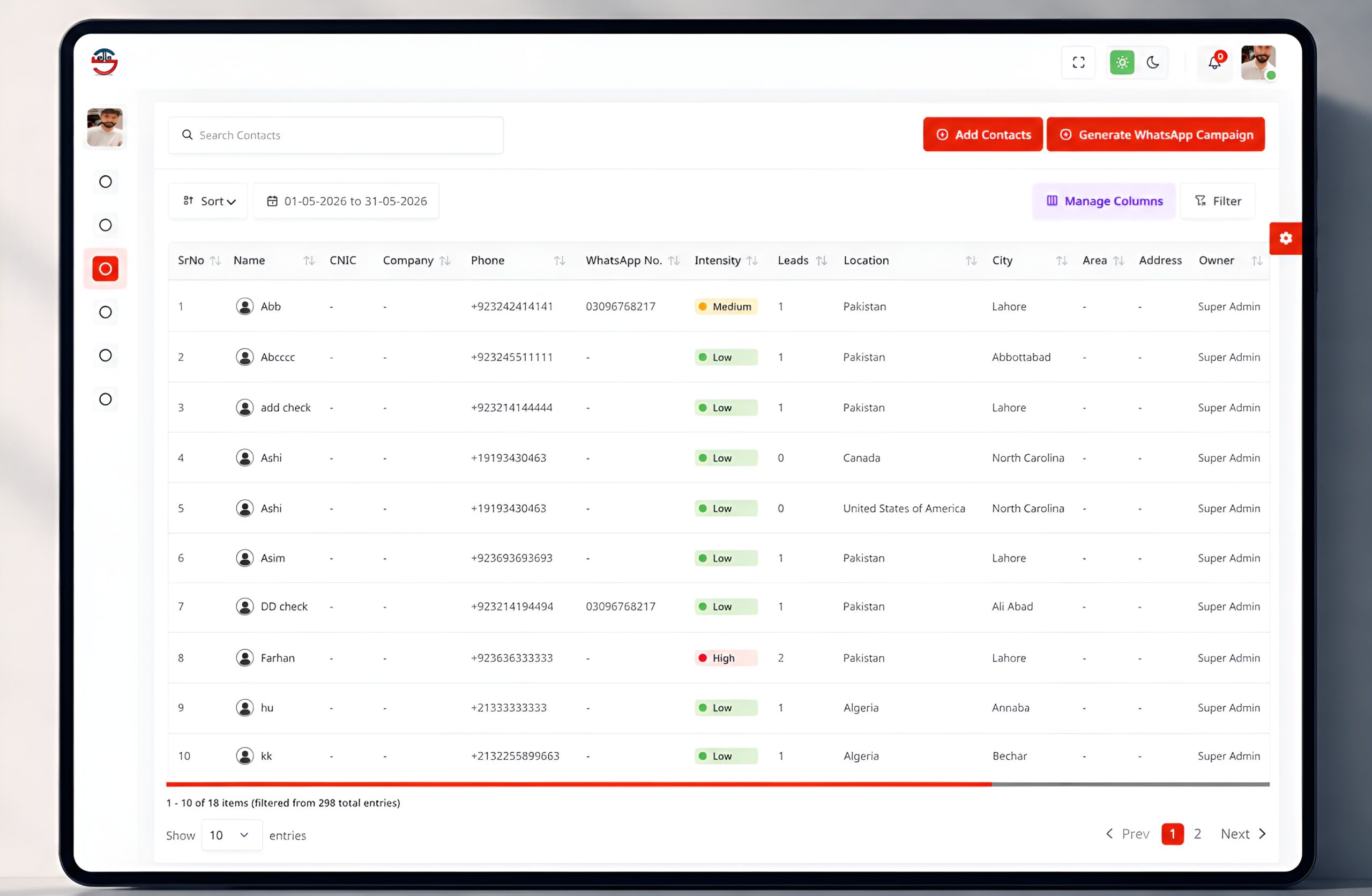
Contact List

  1. Centralized Contact Hub – Manage all contacts in one secure, organized location.
  2. Advanced Search & Tracking – Instantly find contacts and monitor assigned leads.
  3. WhatsApp Campaigns – Engage contacts with targeted WhatsApp messaging.

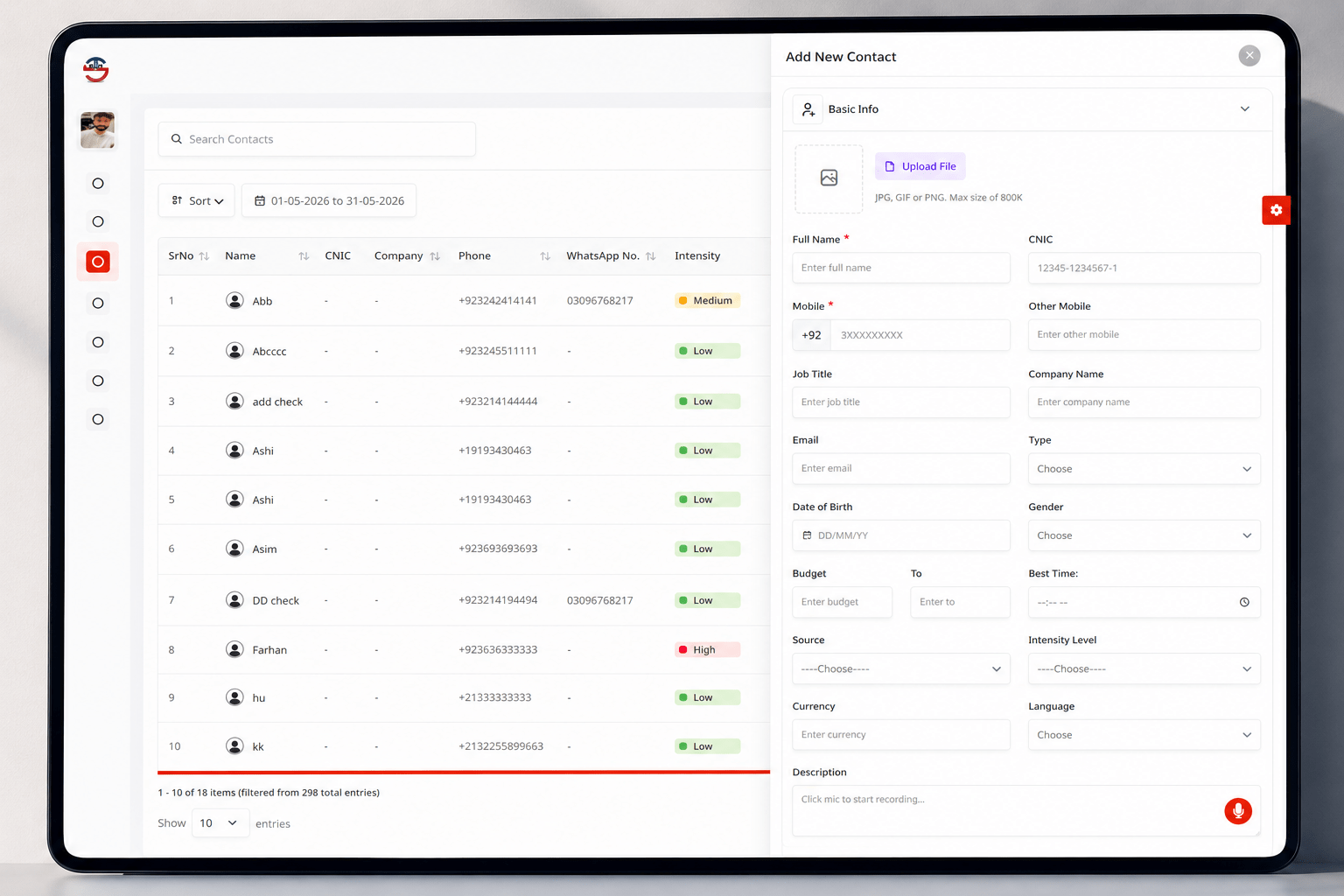
Add New Contact

  1. Centralized Contact Hub – Keep every contact organized in one unified workspace.
  2. Smart Search & Tracking – Find contacts instantly and track lead activity with ease.
  3. WhatsApp Engagement – Reach contacts through targeted WhatsApp campaigns.
6. Latest Features
Lead Capture

1. Automatic Lead Capture from Facebook
2. WhatsApp leads capture
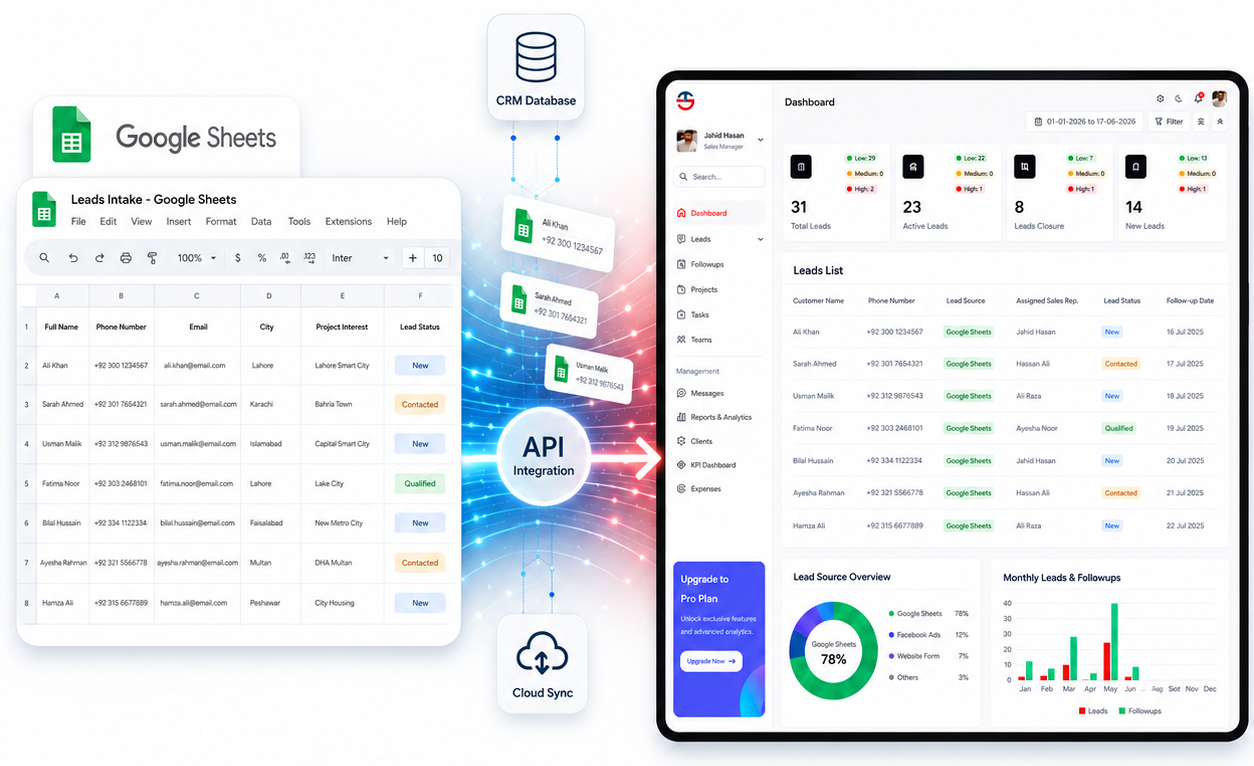
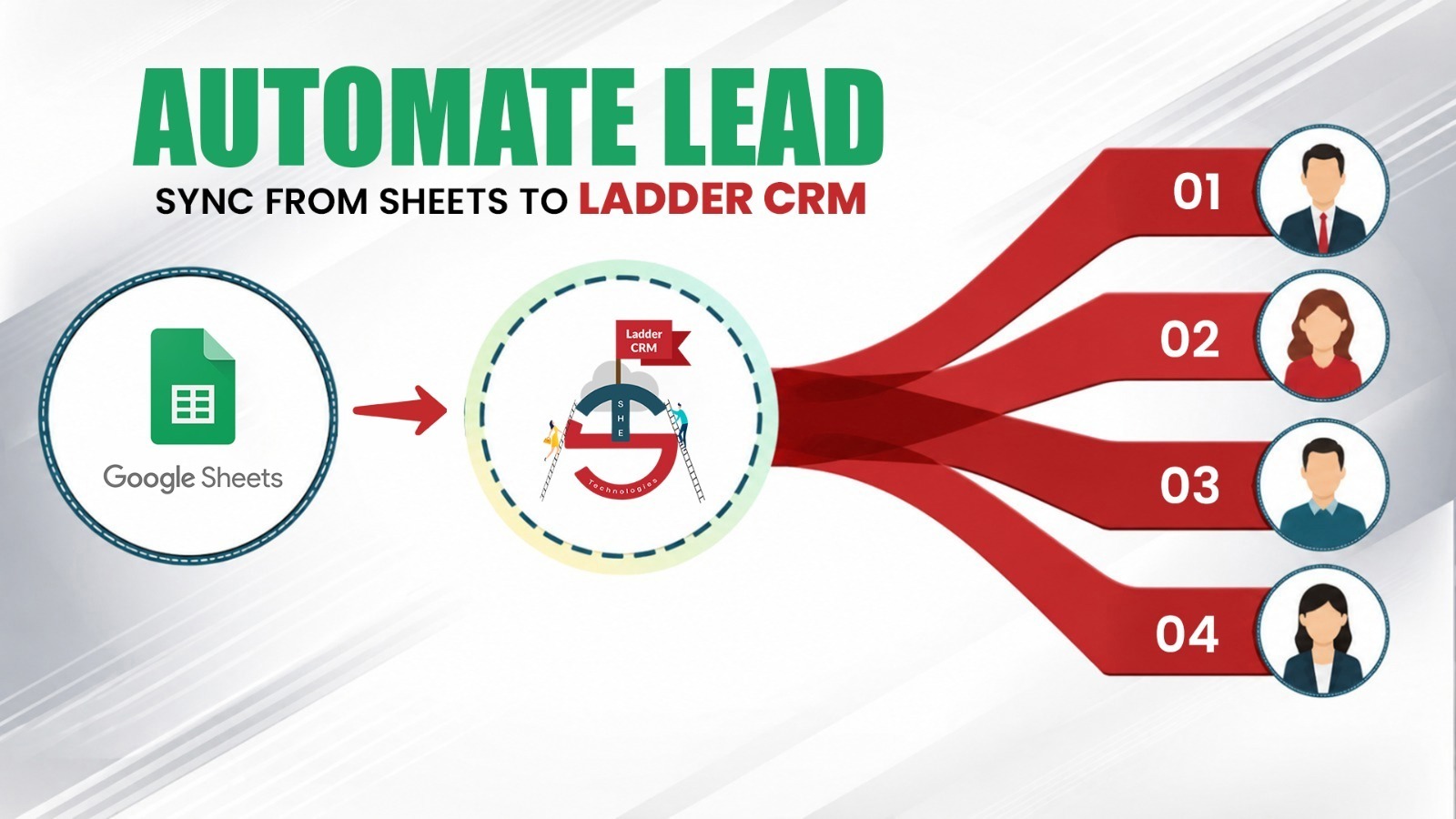
3. Google Sheets integration
4. Import Existing Leads from Excel

Lead Management

5. Automated lead assignment (round-robin)
6. Lead scoring
7. Duplicate lead detection
8. Zero follow-up lead switching

Communication

9. WhatsApp chat management + bulk campaigns
10. SMS aur Email marketing
11. Auto reminders (meetings/visits)

Calls

12. One-click dialing (Twilio/Telnyx)
13. Call recording (mobile + international)
14. Recording-to-text conversion
15. Agent call response time reports

Follow-ups & Meetings

16. Follow-up scheduler with file attachments
17. Location capture on follow-up
18. Google Calendar sync

Inventory

19. Full inventory list with status
20. SAMS & ERP integration
21. Token/receipt generation for mature leads
22. Balloting management

Dealers

23. Dealer directory & POC list
24. Sales count & commission tracking
25. Dealer-wise lead filtering

Campaigns/Marketing

26. Facebook campaign tracking
27. Cost per lead & budget variance analysis

Staff Management

28. Target assignment
29. Role-based access control
30. GPS login/follow-up tracking

Reports

31. Combined lead report
32. Staff productivity/calls/meetings reports
33. Custom dashboards

System

34. Dark/light theme

7. CRM Reports
Sr# Report Number Report Name Usage Level
11002Marketing Productivity ReportStaff
21004Staff ReportStaff
31005Staff Sales ReportStaff
41006Users Project ReportStaff
51007Leads ReportManagement
61008Staff productivity ReportManagement
71010Lead Mature ReportManagement
81011Day End Productivity ReportManagement
101012Daily Log ReportStaff
111013Daily Log Review For AdminManagement
121014Weekly ReportManagement
131101Referral ReportStaff
141102Company ListManagement
151104Campaign Budget ReportManagement
161105Staff Leads Productivity ReportStaff
171106Leads Meeting Status ReportStaff
181107Staff Calls ReportManagement
191108All Lead DataManagement
201109Left over leadsManagement
211110Source Wise Leads CountManagement
221111Source Wise Leads ReportManagement
231114Leads Custom ReportManagement
241115Staff Meeting DetailsStaff
251119Social Media Progress ReportManagement
261120Social Media Monthly ProgressManagement
271121Staff Pending Meetings ReportManagement
281122Staff Assigned Leads ReportManagement
291123Closed Lead ReportStaff
301200Follow up ReportsManagement
311201Follow Up Status ReportManagement
321202Status Wise follow Up CountManagement
331203Department Wise follow Up ReportManagement
📌 Many other reports are also available and more can be generated on request.
8. CRM Main Dashboard

The CRM dashboard is divided into eight key sections, each displaying a specific type of data to help manage leads, followups, and project performance effectively. The first section is the Stats Cards at the top of the dashboard, which automatically display four numbers — Total Leads, Active Leads, Leads Closure, and New Leads — along with a Low, Medium, and High priority breakdown for each. These numbers are not entered manually; they are automatically counted from the leads table based on the status and priority fields assigned to each lead record.

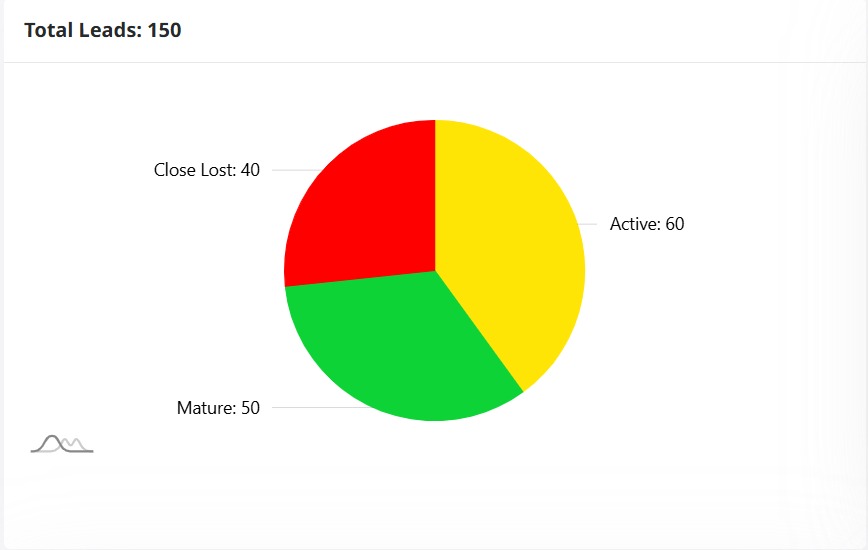
All Leads Graph

  1. Lead Status Overview – Visualize lead distribution by status in real time.
  2. Total Lead Insights – Instantly view the total number of leads.
  3. Automated Status Analtics – Generate live reports directly from CRM data.

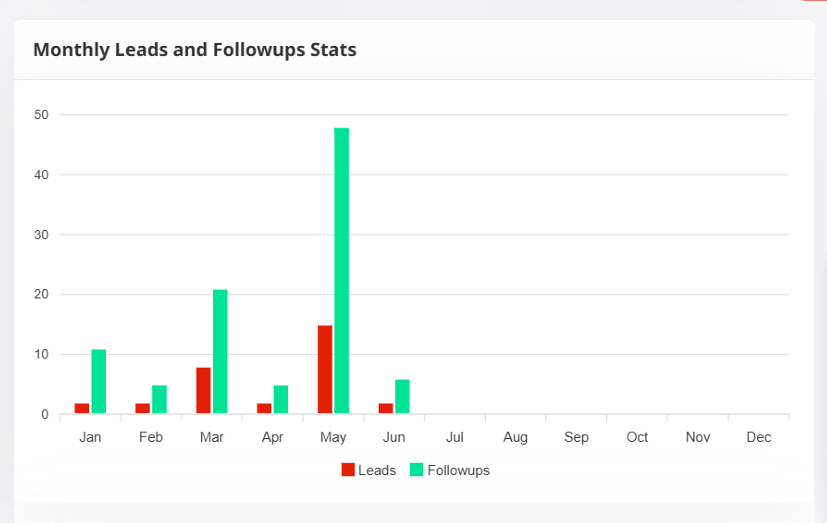
Monthly Leads and Followups

  1. Monthly Performance Overview – Track monthly leads and follow-ups at a glance.
  2. Visual Performance Insights – Compare lead and follow-up trends wih clear charts.
  3. Automated Monthly Analytics – Generate real-time performance reports from CRM data.

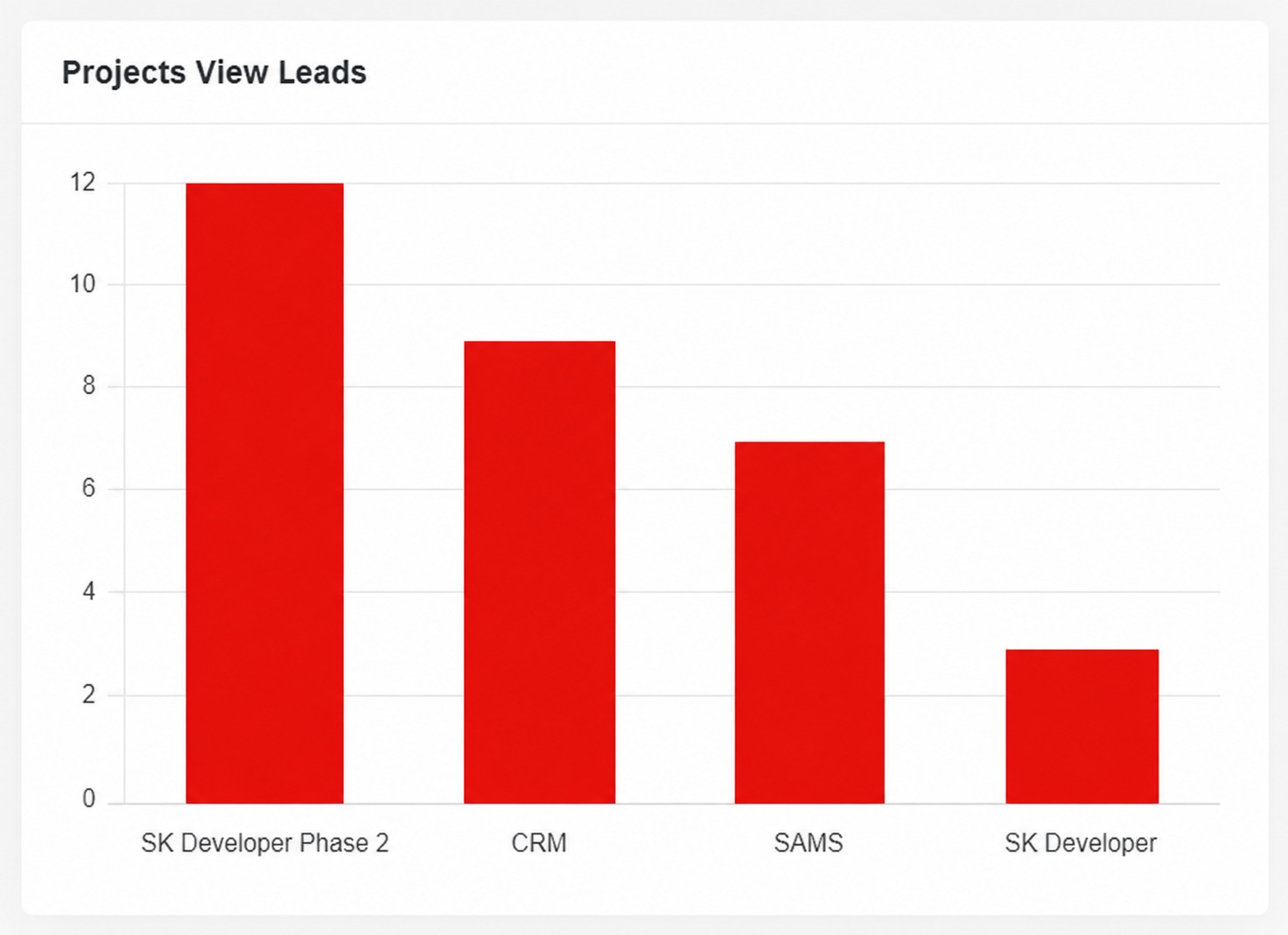
Projects View Leads

  1. Project-Wise Lead Tracking – Monitor lead distribution across all projects.
  2. Project Performance Insights – Compare lead volume by project in real time.
  3. Automated Project Reports – Generate accurate project-based analytics effortlessly.

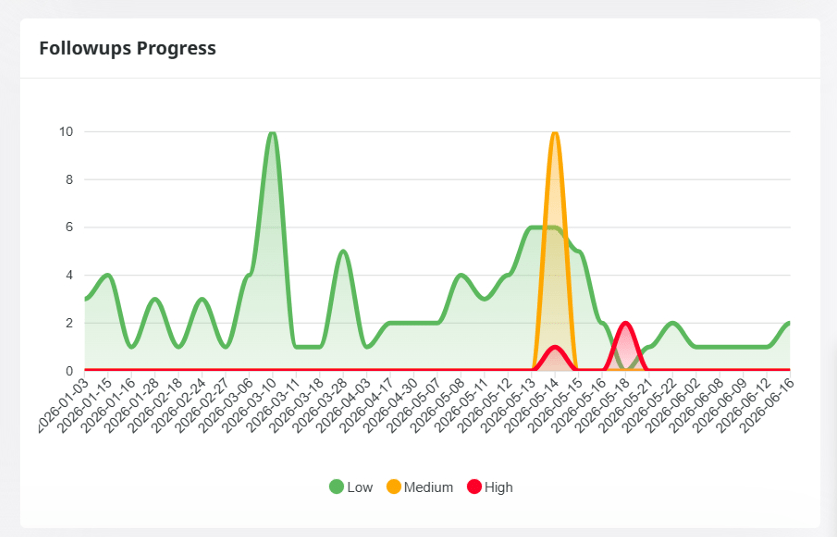
Followups Progress

  1. Follow-Up Progress Tracking – Monitor follow-up trends by priority in real time.
  2. Priority-Based Insights – Visualize Low, Medium, and High priority activities.
  3. Automated Performance Reports – Generate follow-up analytics for smarter decisions.

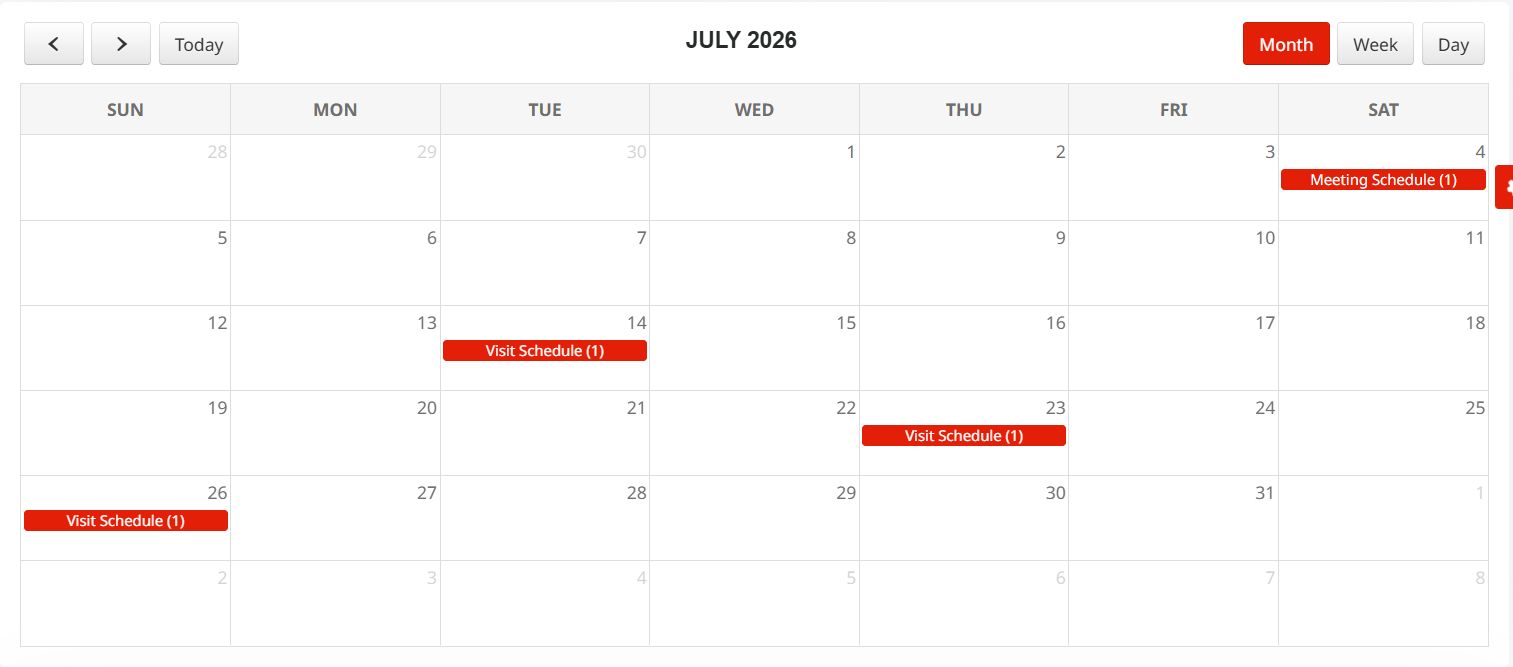
Next Meeting Calendar

  1. Smart Calendar View – Manage events, meetings, and appointments in one place.
  2. Flexible Scheduling – Switch seamlessly between Month, Week, and Day views.
  3. Event Management – Organize events with titles, dates, times, and lead associations.

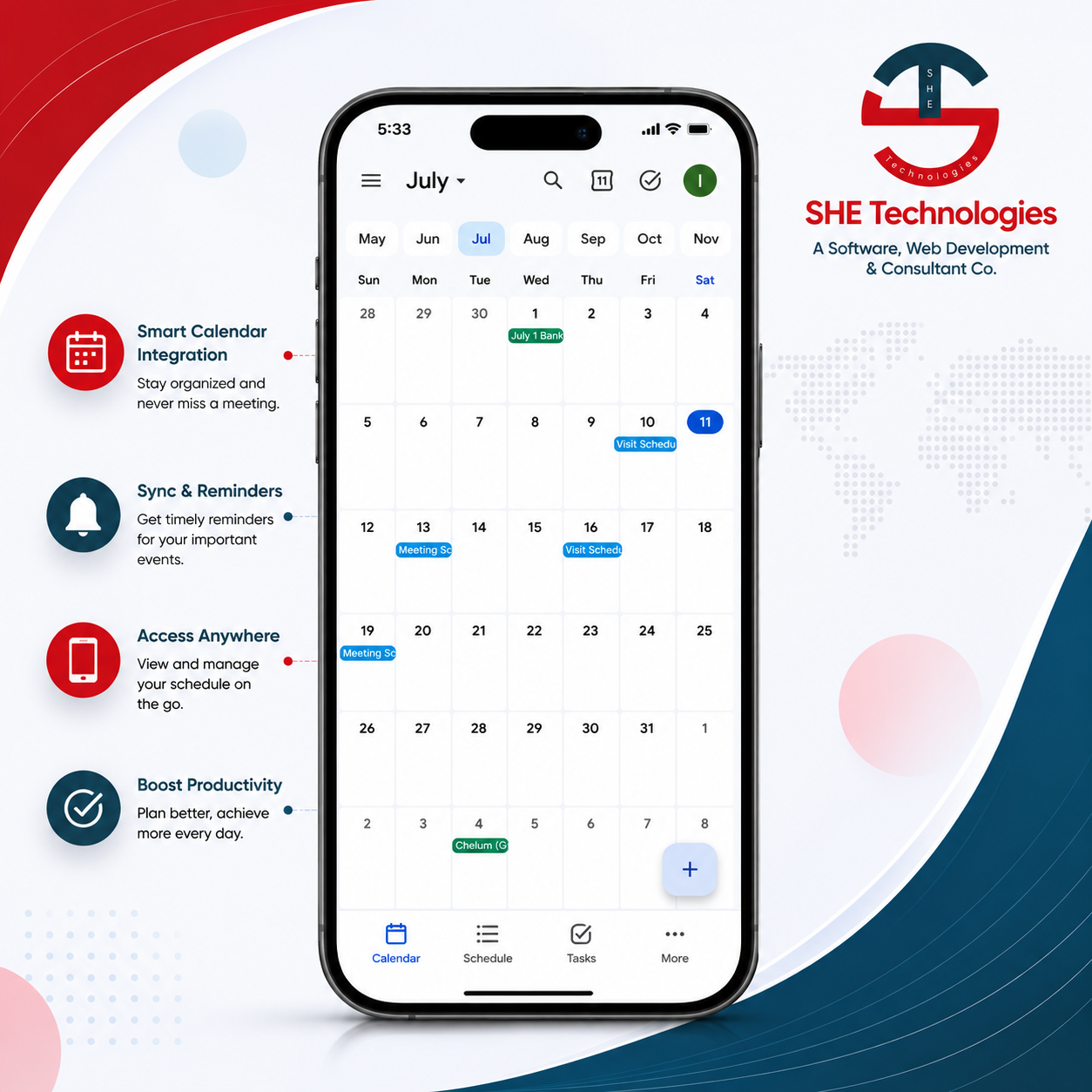
Sync Meeting with Google Calendar

  1. Smart Calendar View – Manage events, meetings, and appointments in one place.
  2. Flexible Scheduling – Switch seamlessly between Month, Week, and Day views.
  3. Event Management – Organize events with titles, dates, times, and lead associations.

Follow-Up Scoring

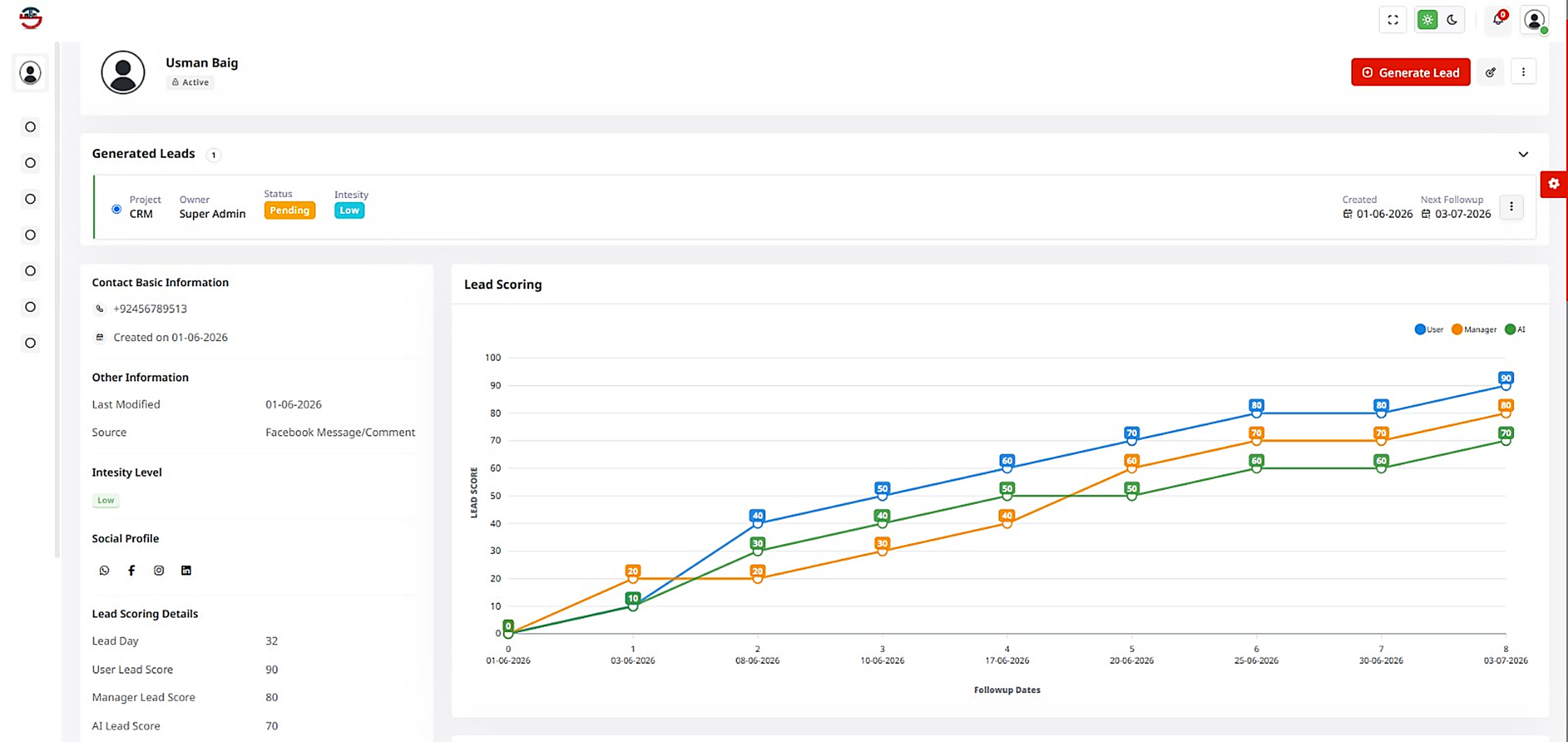
  1. AI Followup Scoring – Prioritize high-value followup with intelligent scoring.
  2. Performance Comparison – Compare User, Manager, and AI scores instantly
  3. Actionable Sales Insights – Track trends to improve conversions and growth.

Lead Scoring

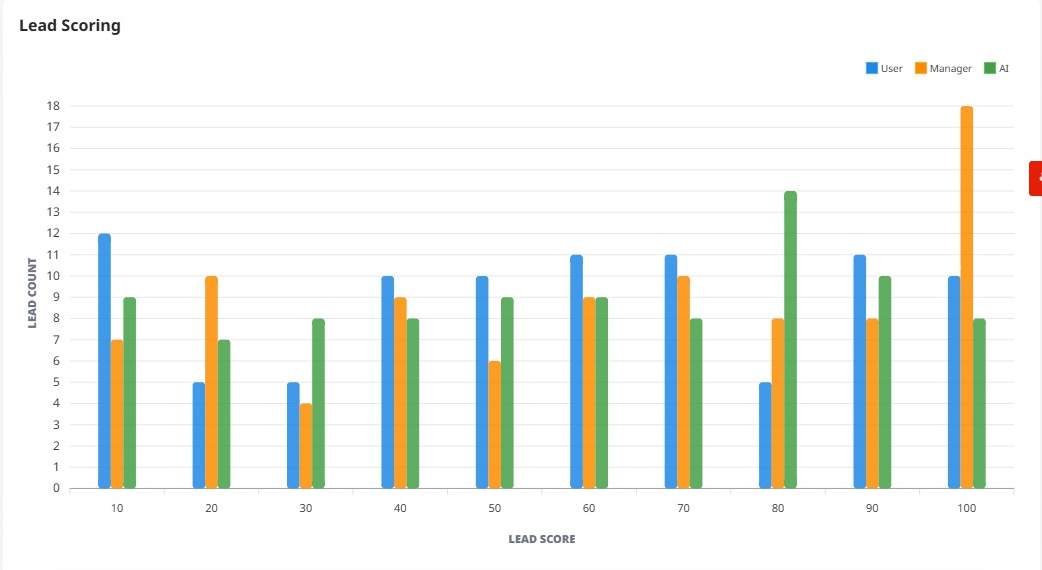
  1. Visual Lead Scoring – Compare User, Manager, and AI lead scores at a glance.
  2. Lead Quality Insights – Identify high-value prospects with score-based analysis.
  3. Smarter Sales Decisions – Prioritize leads using real-time scoring analytics.

Pending Followups Table

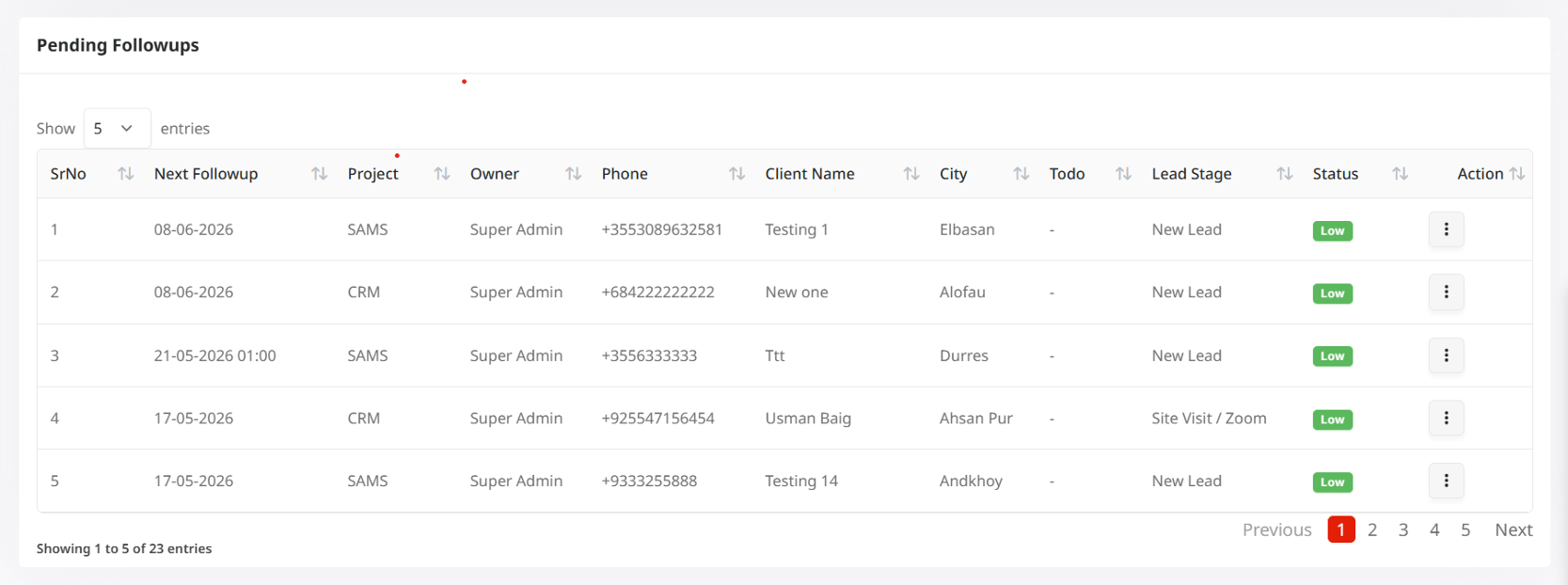
  1. Pending Followups Table: Displays all upcoming and incomplete followups in a paginated table with details such as followup date & time, project, owner, client information, city, lead stage, priority, and optional to-do notes.
  2. Table Features: Supports sorting on every column and allows users to display 5, 10, or 25 records per page.