




Do You Need Help?
Billing Management System
The Billing Management against Maintenance Services (BMMS) system is designed to handle daily service charges for housing societies and commercial projects.
A billing management system (BMS) is software that automates and streamlines a business’s billing activities, such as generating and sending invoices, tracking payments, storing client data, and tracking income and expenses. Businesses of all sizes utilize these systems to increase efficiency, eliminate errors, keep accurate financial records, and boost cash flow.
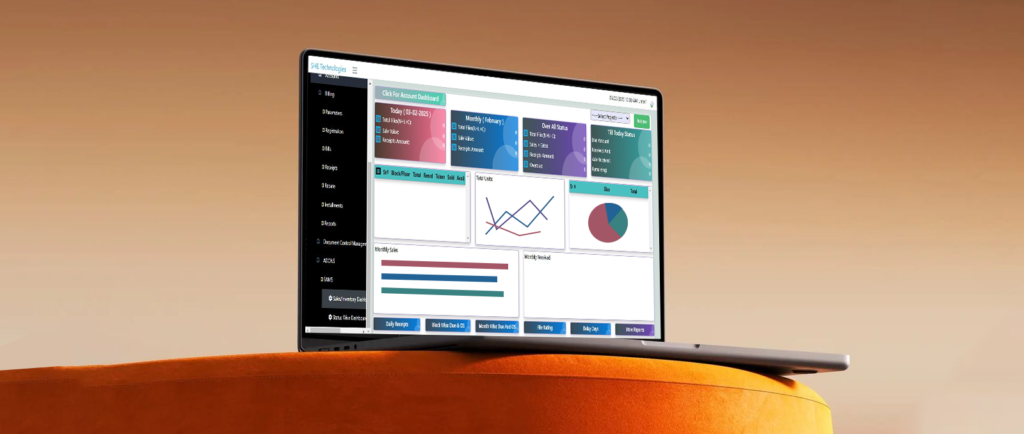
Billing Management: Maintenance Services
The Billing Management against Maintenance Services (BMMS) is intended and built to meet the following day-to-day service fee requirements for a developed housing society or commercial project services include:
- Security,
- Lighting,
- Parking,
- Masjid Funds,
- Internet/Cable,
- Garbage Collection.
Features of Billing Management System
The functionality of the system (BMMS) is briefly detailed in the following parts.
- Registration No
- Society / Building Map
- Allocation / De Allocation
- Billing Schedules
- Receivables
- Rebate / Adjustment against Receivables
- Bills Generation and Receipts
- Property Transfer
- Bill Installment
- Care Alerts
- Easy and User Friendly
- Reports
- Out Standing Payments Reports
- Receiving Payments Reports
- Clients Information Reports
- Clients Bills Detail and Printing
Registration No
The registration number is used to capture complete member/client details for booking purposes.
- Allocation of a unique Registration Number.
- Provide the member’s name,
- Address,
- Contact information.
- Register using a unique ID (preferably a computerized NIC).
- Personal information, nominee information, and pictures/documents.
- Images
- Multiple Analysis Codes
- Contact the officer and refer clients by category (A, B, or C).
Society / Building Map:
Complete Building Map Entry.
- Shop / Office / Location floor and Floor Wise
- Shop / Office / Sizes
- Shop / Office / Status
- Shop / Office / Types (Residential / Commercial
Allocation / De-Allocation:
Shop / Office / can allocate and de-allocate.
- Allocation after Registration of Clients
- The allocation at the time of the end of the Contract with the Client
- Allocation and De-allocation Dates
Billing Schedules:
Multiple Rental / Billing payment plan generation facility.
Attach Rental / Billing plan against Registration.
Rental / Billing Payment plan information.
- Multiple Rental / Billing Payment Schedule definition.
One-Time Payments.
- Advance / Security Payments
- De allocation at the time of the end of the Contract with Client
Monthly / Multi-Time Payments.
- Rent Charges
- Services Charges
- Any other Charges
Receivables:
Receivable Frequency.
- Every Month
- One Time
Multiple Payment types.
- Security Charges
- Park Fee
- Parking Charges
- Mosque
- Cable Charges
- Fine etc.
Rebate / Adjustment Against Receivables:
Rebate against multiple Receivable payment types
- Rebate on Rental / Billing Payment.
Adjustment on payable payment.
- Adjustment of Advance / Security Payables on account of Receivables.
Bills Generation And Receipts
Bills Generation.
- Bills generation for all
- Bills generation for a specific Shop/Office
Bills Reversal
- Bills can be regenerated
- Bills can be reversed after finalization
Bills Finalization
- Bills finalization after bill generation
Payment received against the due amount
- Auto / Manual Receipt no
- Rebate at the time of payment receipt
- Payment mode and instrument detail
- Receipt printing
Payment receiving as advance, Partial payment receiving against due amount, Auto Arrears amounts in next bill, Misc. Bills Generation
Property Transfer
Property can be transferred from one owner to another. Transfer charges bill Generation
Bill Installment:
Installment can be done on any bill on the member’s request. The monthly installment amount will be added to the next bills
Care Alerts:
Multi care alerts can be assigned for or against and in favor of clients
- VIP Client
- Reference of the Chief Executive
- Make a fraud with our officer last year
Auto-pop-up while accessing Registration
Easy and User Friendly:
Multiple users can work
- User ID and Password
- User working track
Reports:
Outstanding Payments Reports
- Finalize Bills receivables
- Client’s receivable detail
- Clients outstanding detail
- Clients’ Arrears Detail
Receiving Payments Reports
- Client’s Payment receiving
- Clients’ Bills status
- Clients’ Bills status in detail
- Clients receiving payment-wise
- Clients receiving payment-wise
- Daily Receipts summary
- Advance / Adjustment receiving
- Daily recovery
- Electric bill with unit rate
Clients Information Reports
- Client’s information details
- Premises owner information details
- Leaving the client’s payment status
- Vacant and Booked Shop/ Apartment
- Shop/ Apartment De-allocation detail
- Leaving Client’s details
Clients’ Bills Detail and Printing
- Client’s Bills printing
- Clients’ Bills printing due date-wise
- Client’s Payment printing