




Do You Need Help?
Account Management System
Accounting software records and processes financial transactions across functional modules, including payables, receivables, costs, and income and trial balance. This tool monitors financial flows for projects, groups, companies, and small businesses.
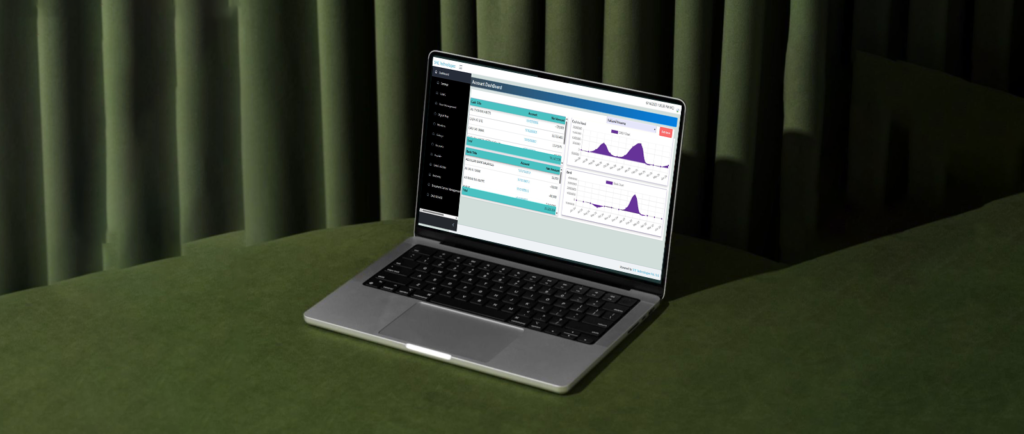
The Account Management solution from SHE Technologies offers complete responsibility and transparency when producing ledger reports. All types of organizations can use our fully customized account management software. Its user-friendly and adaptable interface makes it easier for organizations to do tasks quickly and effectively.
To provide barrier-free communication with the accounting team, the primary dashboard can be LAN-integrated with other systems. Its dependable features enable the accounts team to make reports and daily transactions with a few clicks in an improved accounts management environment.
Features Of The Software:
The main benefits of installing account management software are listed below.
- Chart of Account
- Facility to define multi Vouchers Types
- Facility to make Financial Posting Period
- Account Opening Balance
- Auto Generated & Manual Voucher Number
- G-L Account Opening & Party Account Opening
- User Wise Voucher Creation Window
- User Wise Voucher Posting
- Inquiries of Voucher
- Balance Sheet / Profit Loss Statement
- Trail Balance , Accounts Ledger
- Day Book, Cash Book,
- Accounts Aging
- Many more reports are
- available in the system
More System Available Reports
The following are some details about account management software that we believe all users should be aware of before installing it.
Accounts Chart
It allows account officers to handle many branch accounts from a single chart of accounts screen and grants them full level-by-level access to the chart of accounts. A simple and adaptable module for the account management system’s chart of accounts.
Types Of Vouchers
There are five different kinds of vouchers in a single module. Keep account information distinct based on the sorts of vouchers. The sorts of vouchers that are available include:
- Bank Payment Voucher (BP)
- Cash Payment Voucher (CP),
- Cash Receipt Voucher (CR),
- Bank Receipt Voucher (BR),
- Journal Voucher (JV)
Year of Finance/Posting Period
A company’s designated term for assessing its financial performance is known as the fiscal year, financial year, or posting period. Four quarterly intervals typically describe the budgetary quarters, while the fiscal year is covered by the annual posting period. The beginning and ending of the fiscal year are covered in the Financial Year module.
Financial Year Auto-Reset Vouchers for Opening and Closing, Manage Multi-Branch Accounts Yearly Financial Years-wise Voucher Entry Serial at Fiscal End.
Opening Module For The General Ledger And Posting Accounts
The general ledger portion of our account management software is very easy to use. It assists people in creating and storing income transaction reports and balance sheets for later use. To ensure that every entry is saved straight into the database, the module integrates with the central database. All notes payable, accounts payable, accumulated costs payable, and client deposits are included in the general ledger. All sales services fee revenues, rent expenses, interest expenses, disposal loss, salary expenses, and advertising expense statement sheets are included in the statement accounts.
The Primary Types Of General Ledger Modules
Opening GL/Posting Accounts under the Chart of Accounts with Account Title.
- Account opening date,
- Account type,
- minimum, and maximum balance.
- Address and contact information (for parties and vendor accounts).
Contact us today for the comprehensive Account Management System.